
AI Built for Engineers
Cx Assistant helps commissioning teams capture issues, plan milestones, and deliver faster with AI support.
Total assets
1,248
Tracked across the project
Issues resolved
3,412
Closed with full audit trail
Documents tracked
8,730
Linked to assets and phases
Milestones on track
96%
Schedule adherence
Works with the tools you already use
Connect your mail, calendar, files and project platforms once, and use the assistant inside Word and Excel. It can then search and read them from any chat. Sending an email or a meeting invite always asks for your approval first.
Pick a service to see what the assistant can do with it.
Outlook
Search and read your mail, organise folders and categories, save attachments to your files, and create drafts or emails with files attached. Sending is a separate step that always asks for your approval.
Connections are yours only: you connect a service once from your settings, it works in every chat you open, and nobody else can use it.
Everything in one place
Structured, searchable, and secure project delivery for MEP and commissioning teams — from first equipment delivery to final handover.
Asset Tracking
Track every piece of equipment from delivery to handover with color-coded tags, technical data, and full history.
Issue Management
The punch list, reimagined. Raise issues from the field, assign responsibilities, and track resolutions in real time.
Documentation & Tracker
One library for FAT reports, test scripts, and certificates — with per-asset completion tracking across every phase.
Dashboards & Analytics
Plan-vs-actual, issue velocity, and custom KPI dashboards you can export straight to Word or PowerPoint.
Planner & Calendar
Gantt milestones, dependencies, resource demand, and reminders — the schedule lives next to the work.
Maps & 3D Layouts
Geolocate your sites on interactive maps and walk your floor plans in 3D, with equipment placed where it really is.
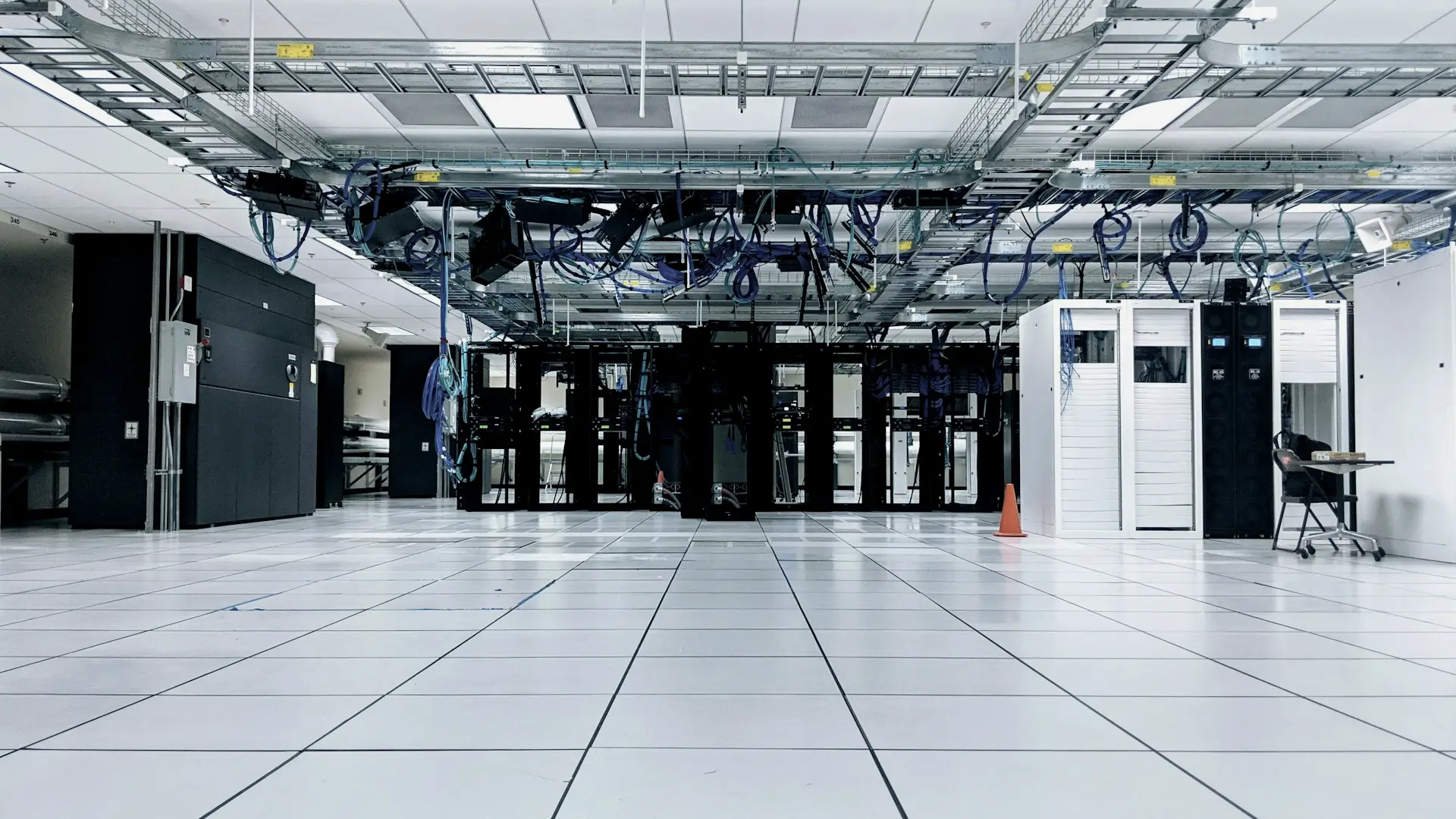
Built for the sites you work on.
Data centres, substations, industrial plants and construction sites. One record per asset, from delivery to handover.

This is not a video — it is the real dashboard
The actual Cx Assistant dashboard, running live in your browser on sample project data. What you see here is exactly what your team gets.
Built for every step of commissioning
From first equipment delivery to final handover — one platform, zero gaps.
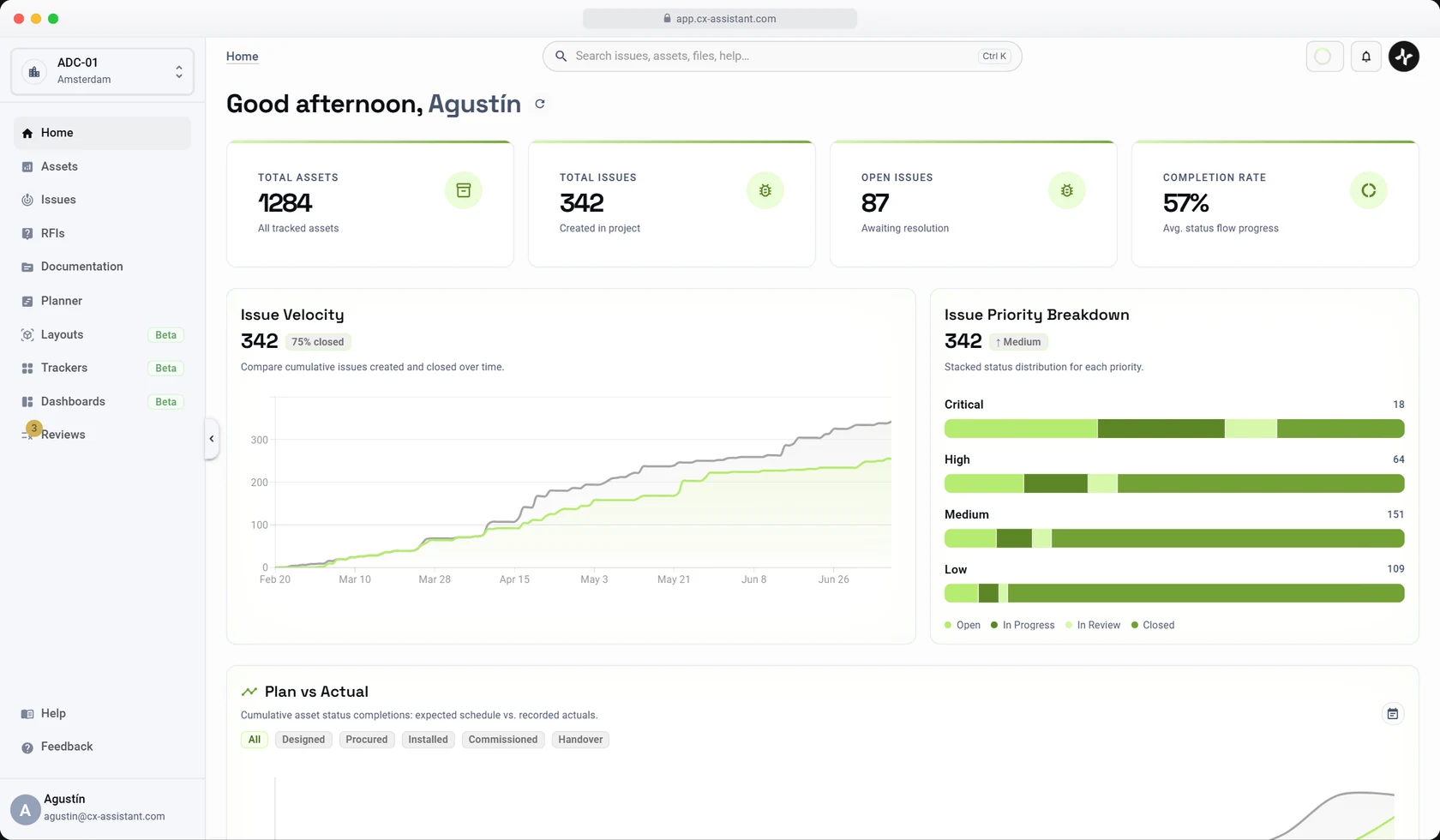
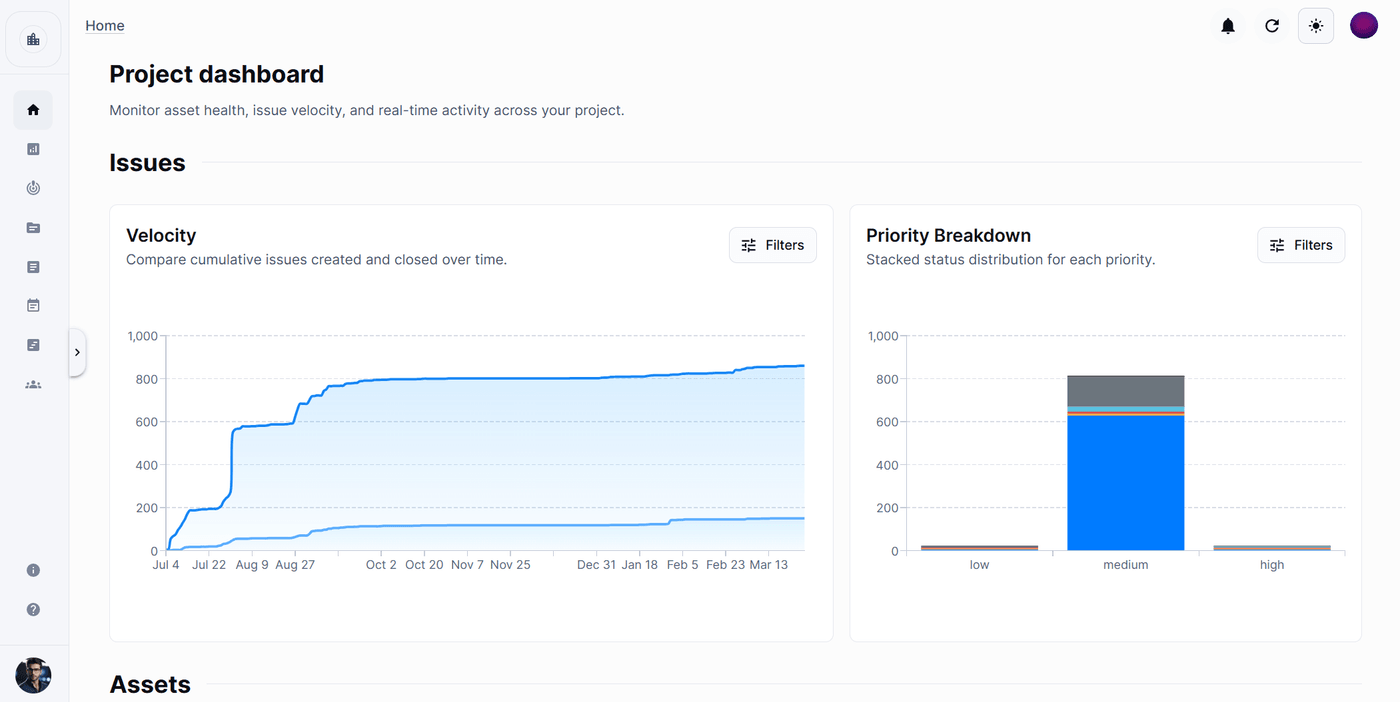
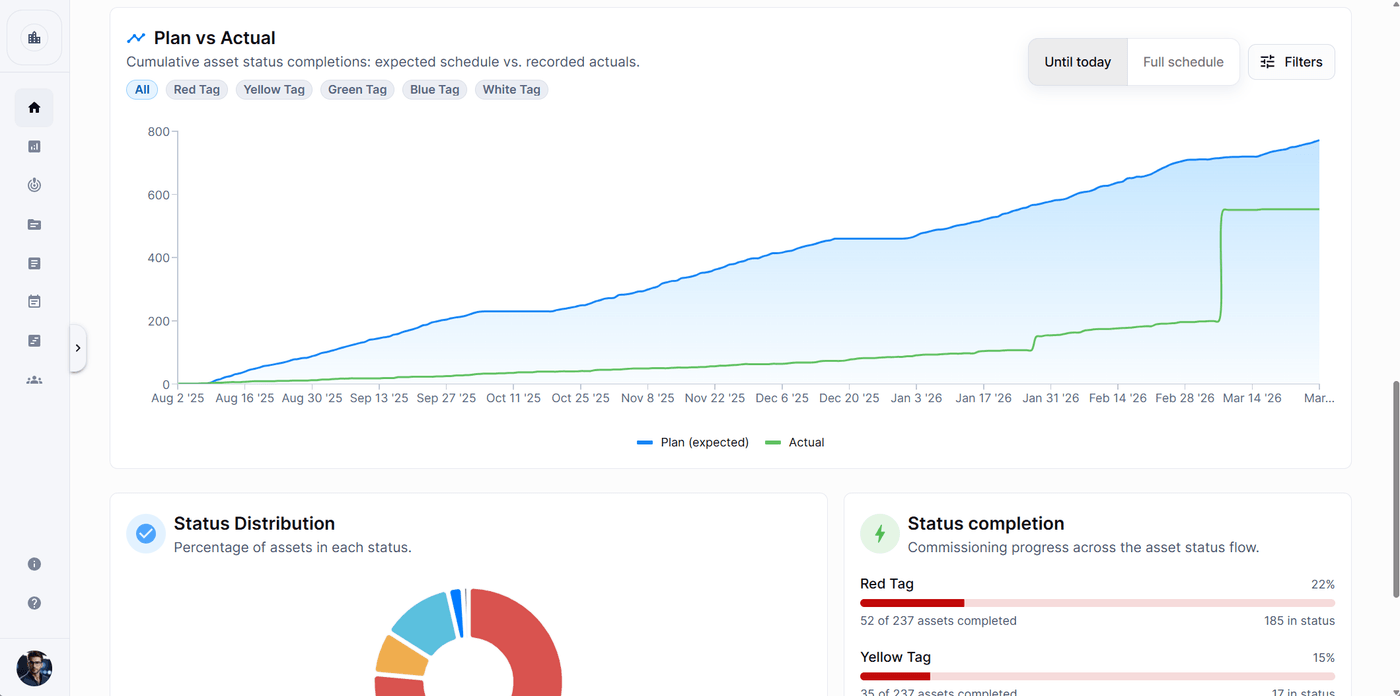
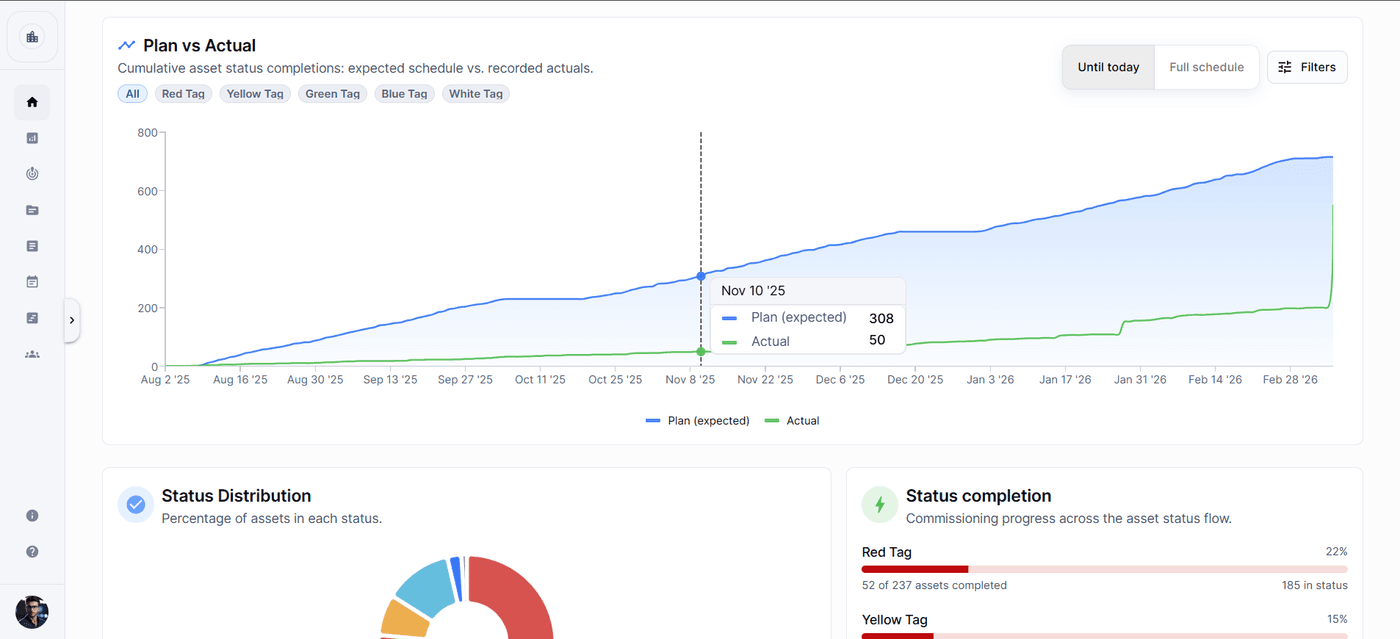
Command-center visibility
Monitor asset health, issue velocity, and schedule adherence in a single view. Spot deviations before they become delays.
Plan vs Actual progress tracking
Issue velocity & priority breakdown
app.cx-assistant.com
app.cx-assistant.com
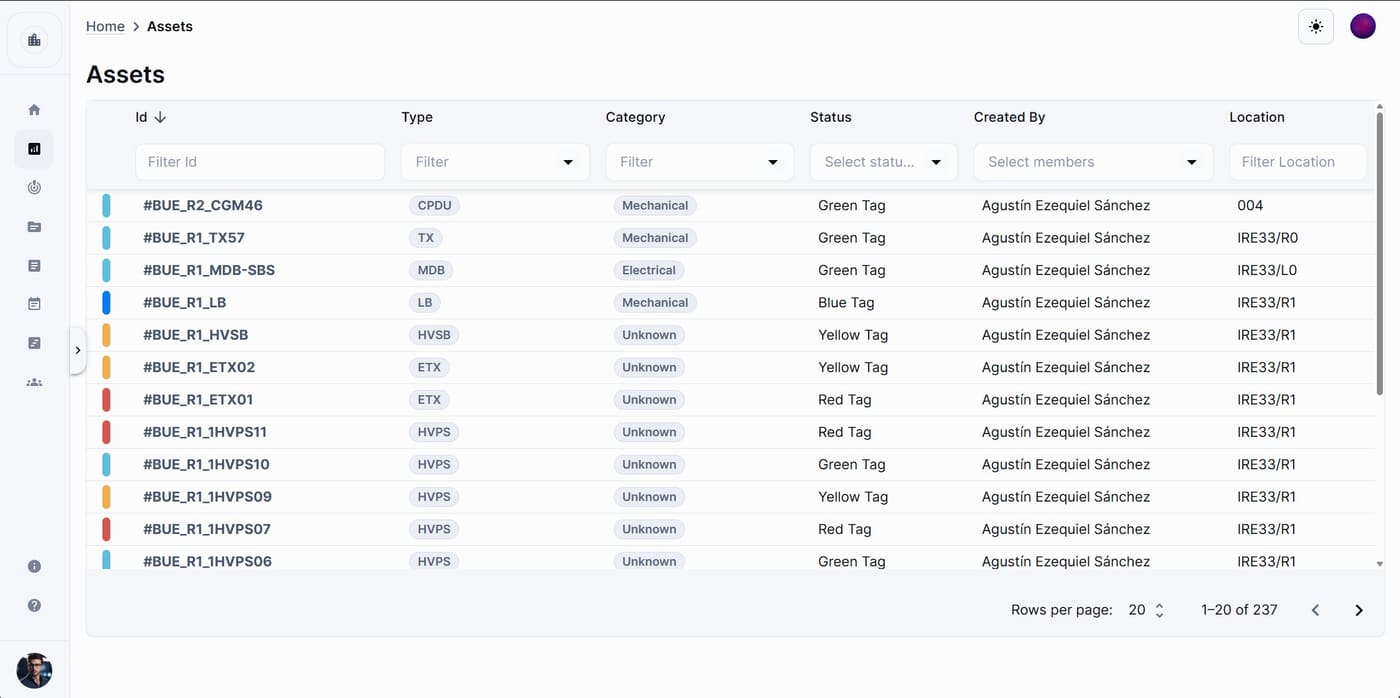
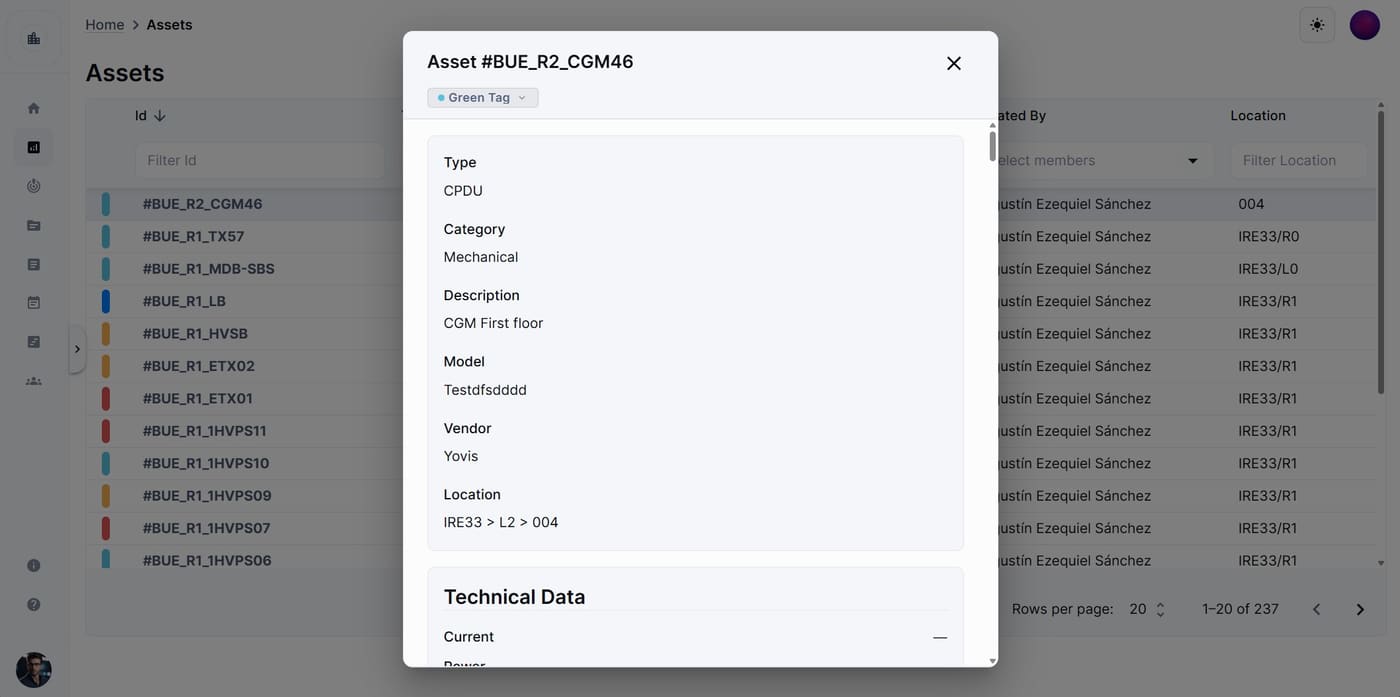
Every asset, under control
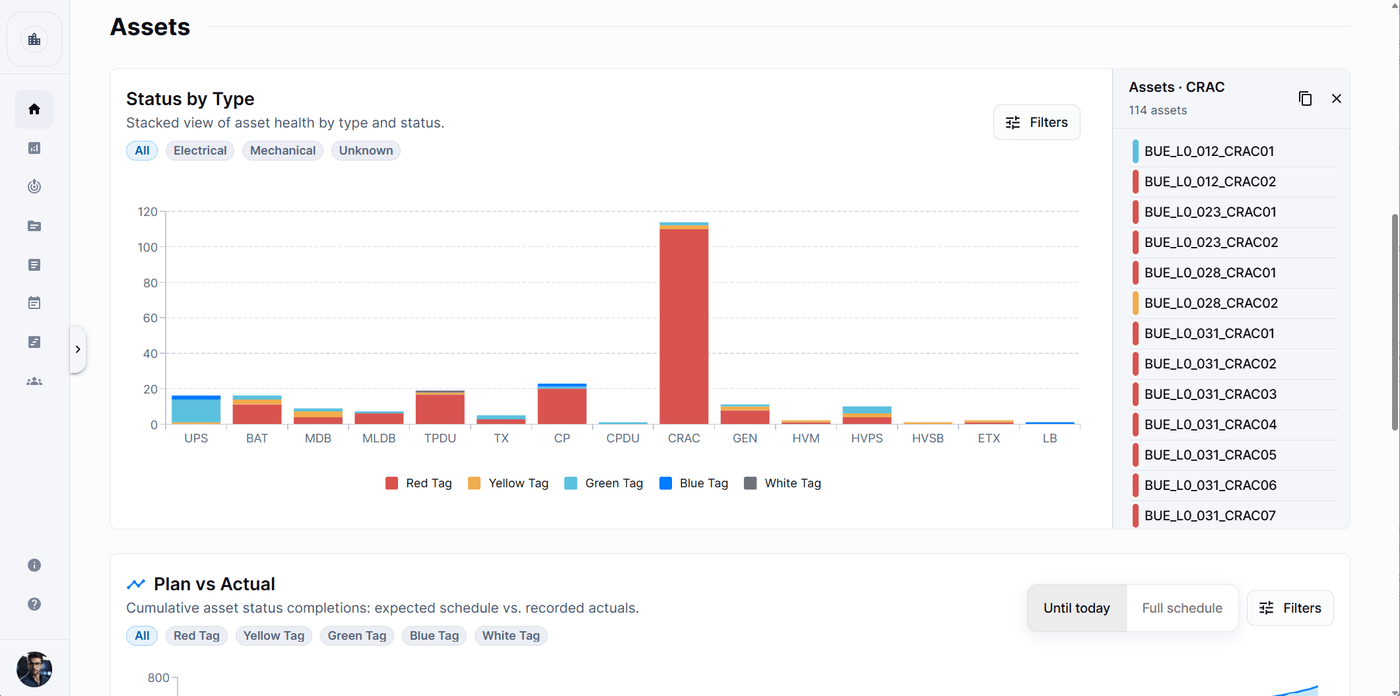
Track every piece of equipment with color-coded commissioning tags. Filter, drill in, and access full technical specs and linked documentation for any asset.
Color-coded tag workflow (Red → White)
Per-asset technical data and linked docs
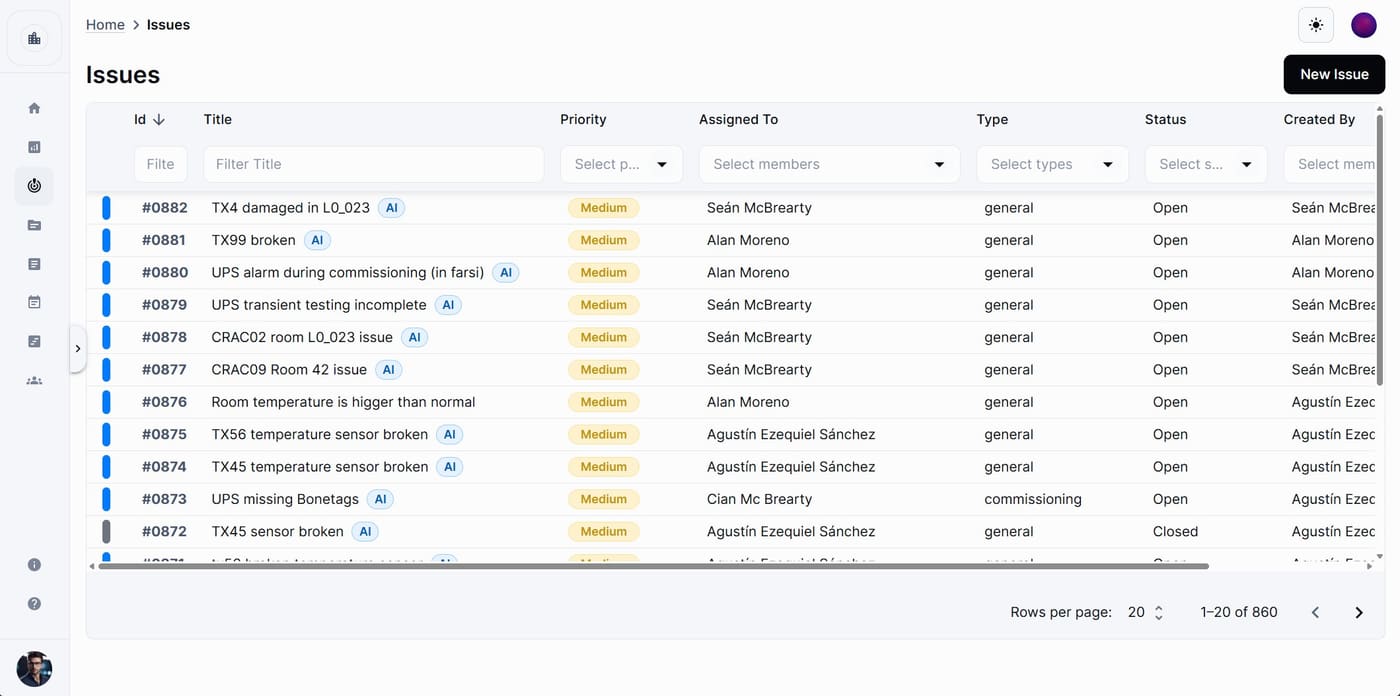
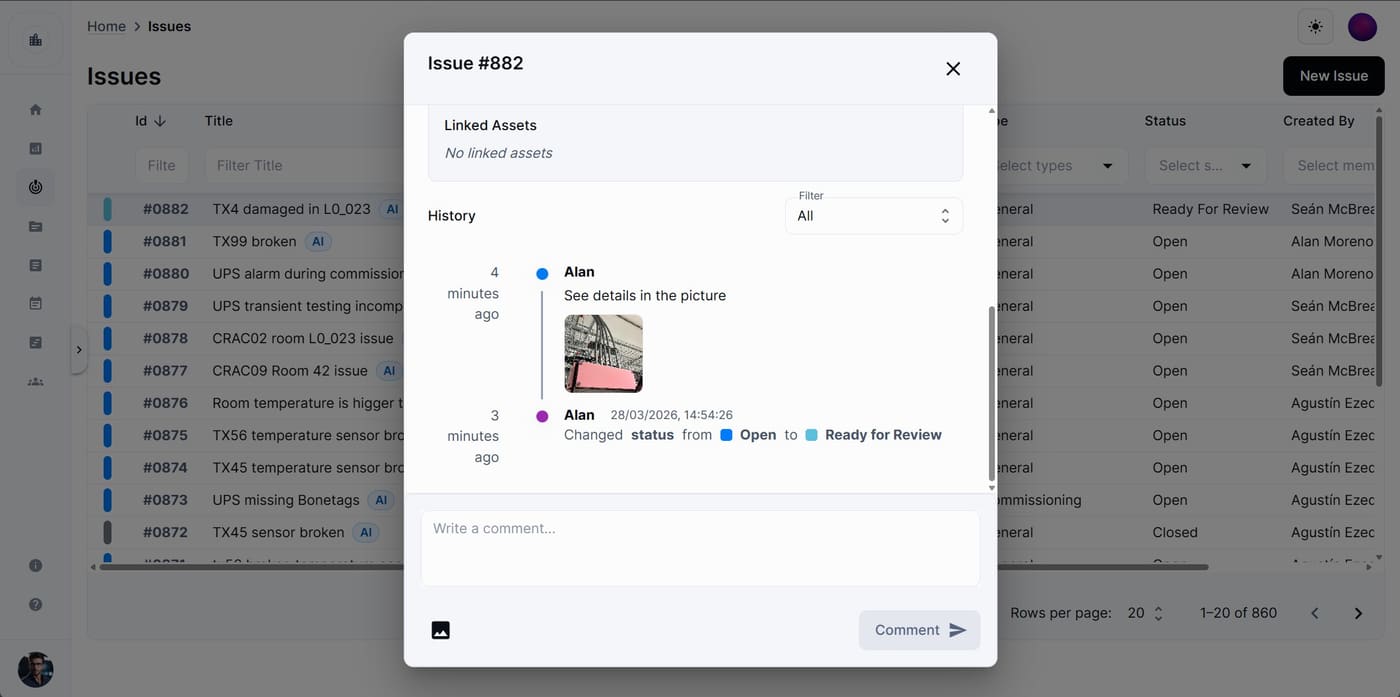
Issues resolved, not forgotten
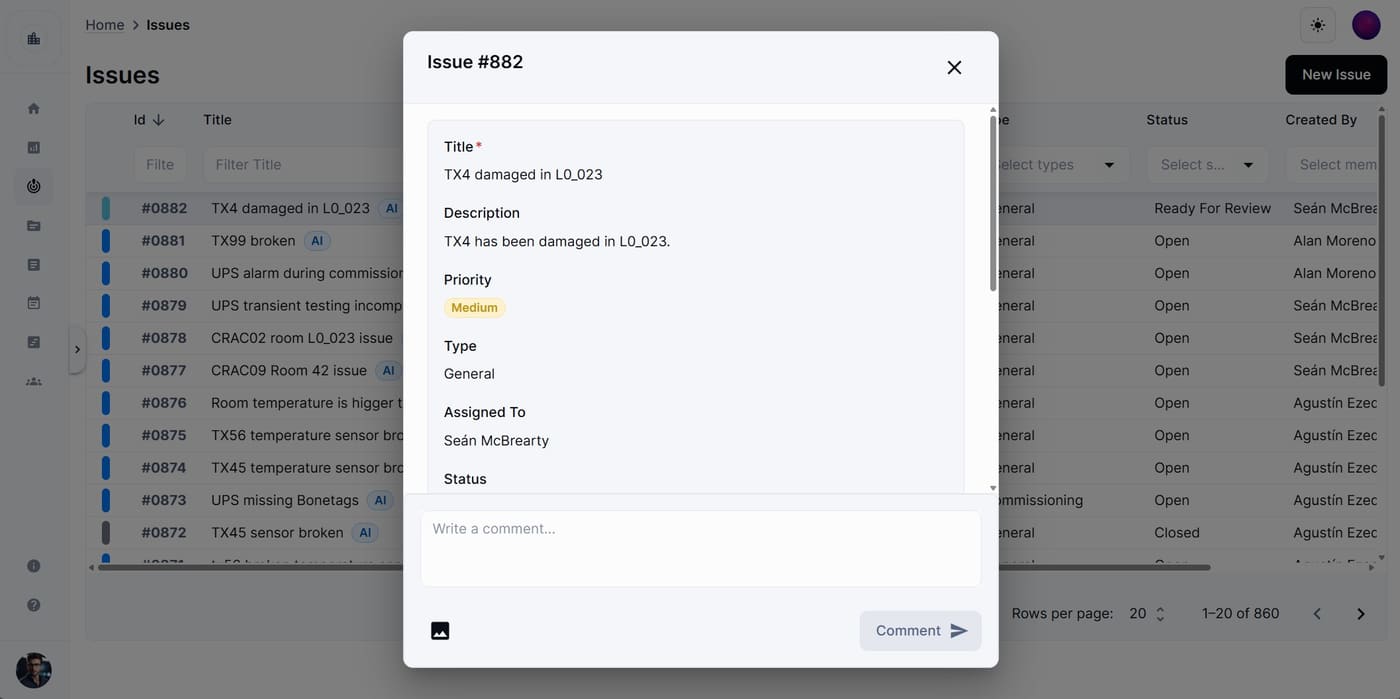
A powerful punch list reimagined. Log field issues from photo or text, assign teams, set priorities, and maintain a full photo-rich audit trail.
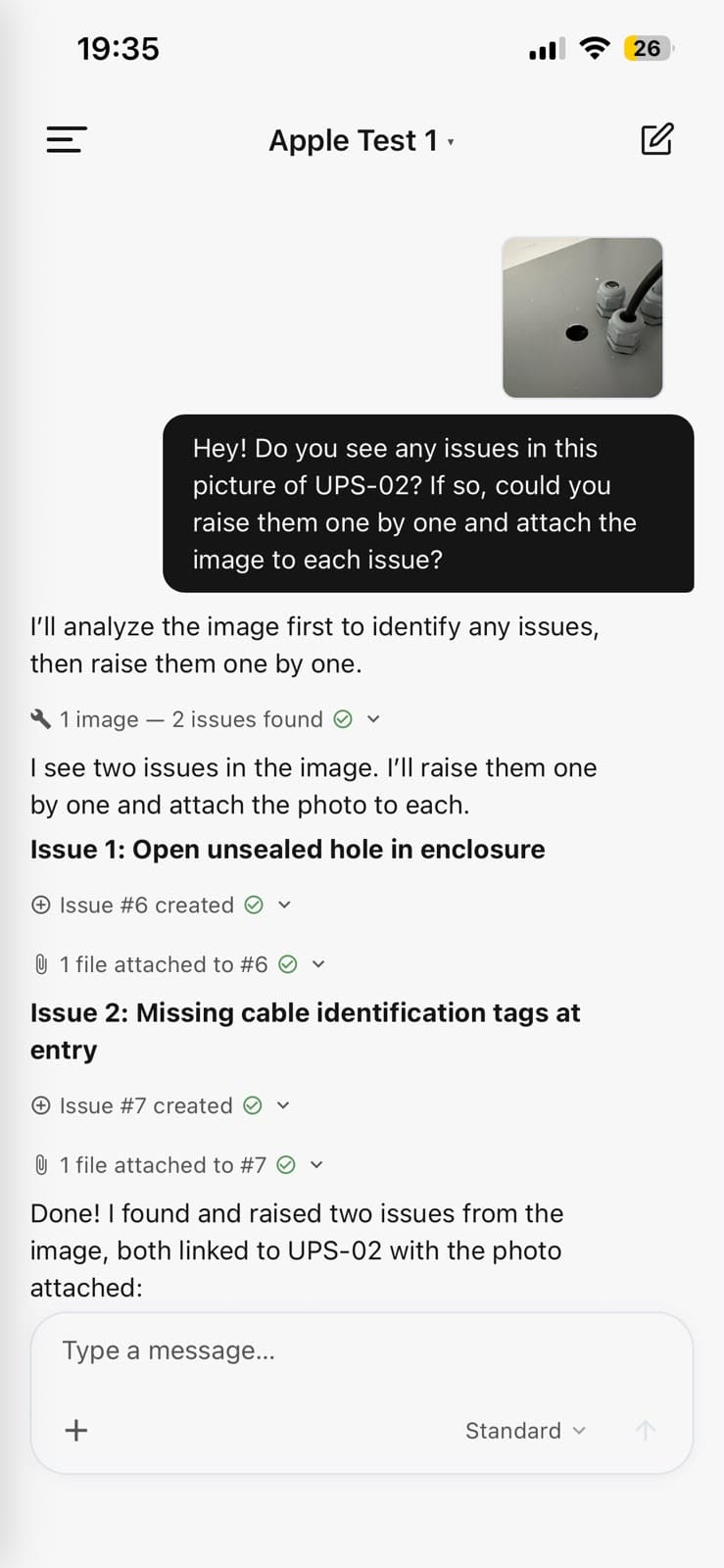
AI-assisted issue creation from text or photo
Full audit trail with photo evidence
app.cx-assistant.com
app.cx-assistant.com
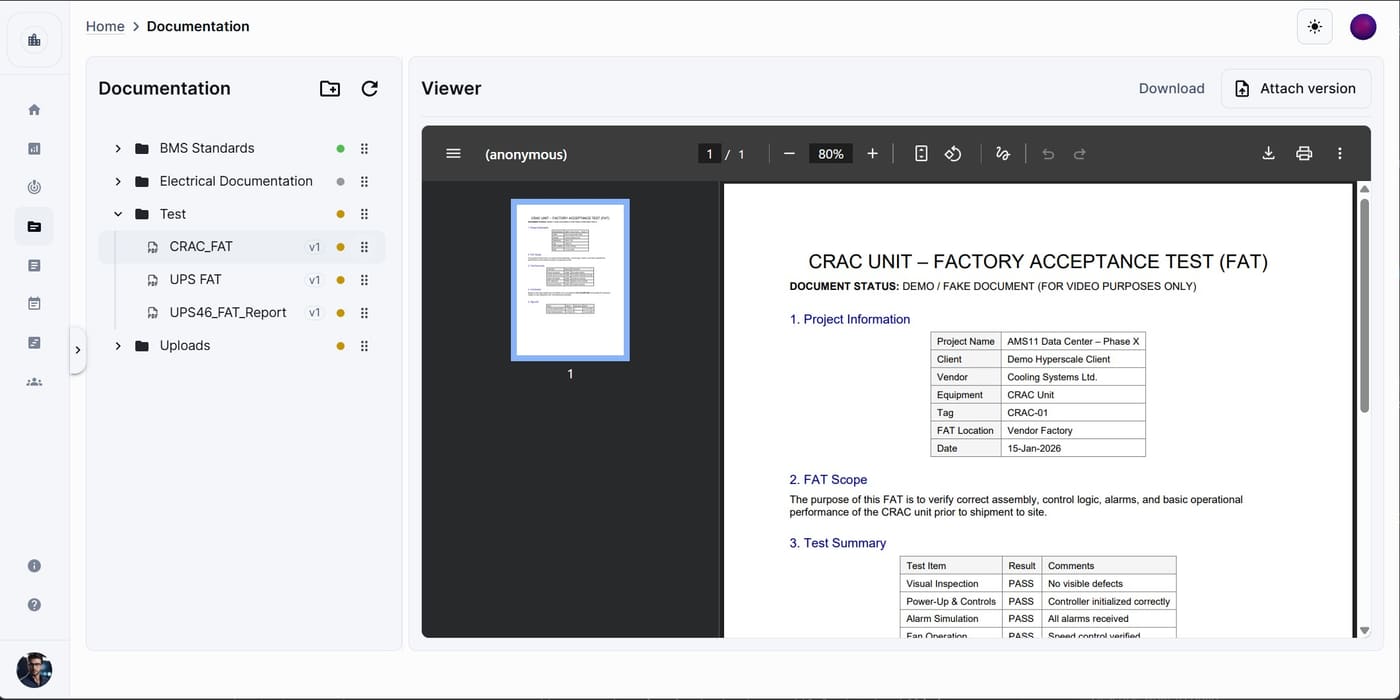
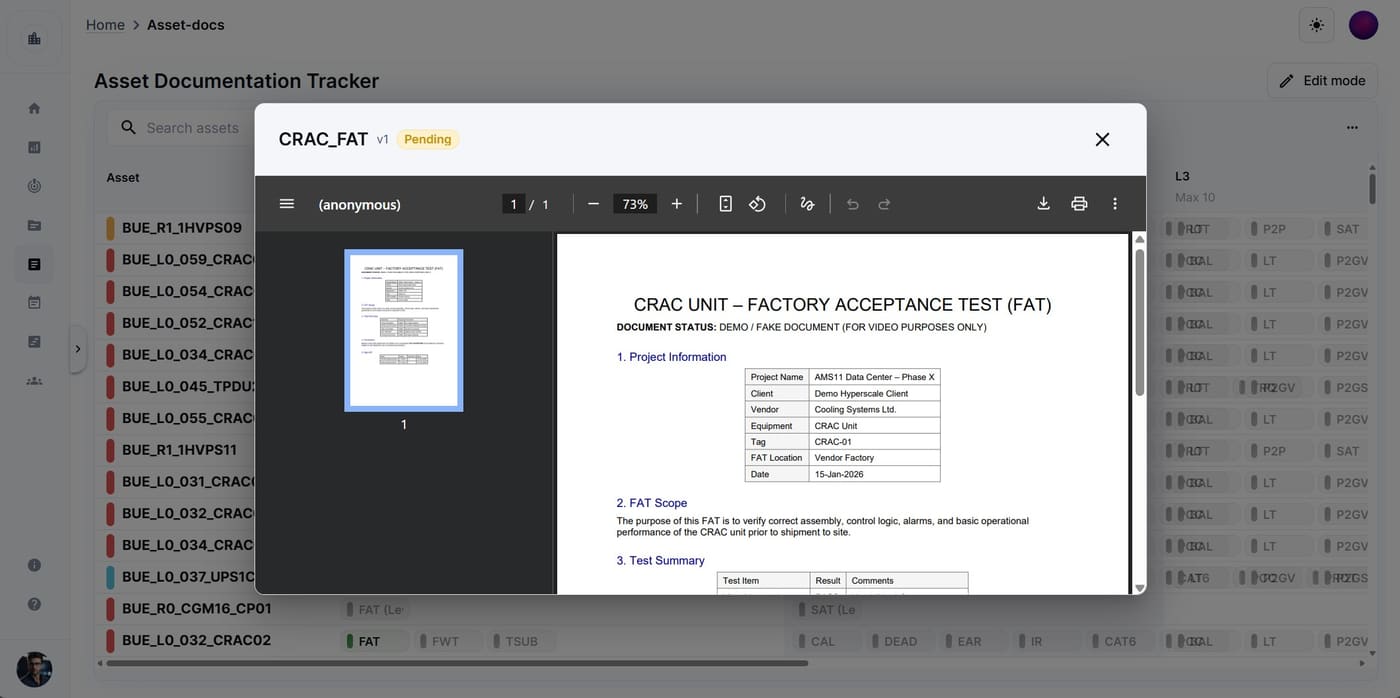
All your docs, always ready
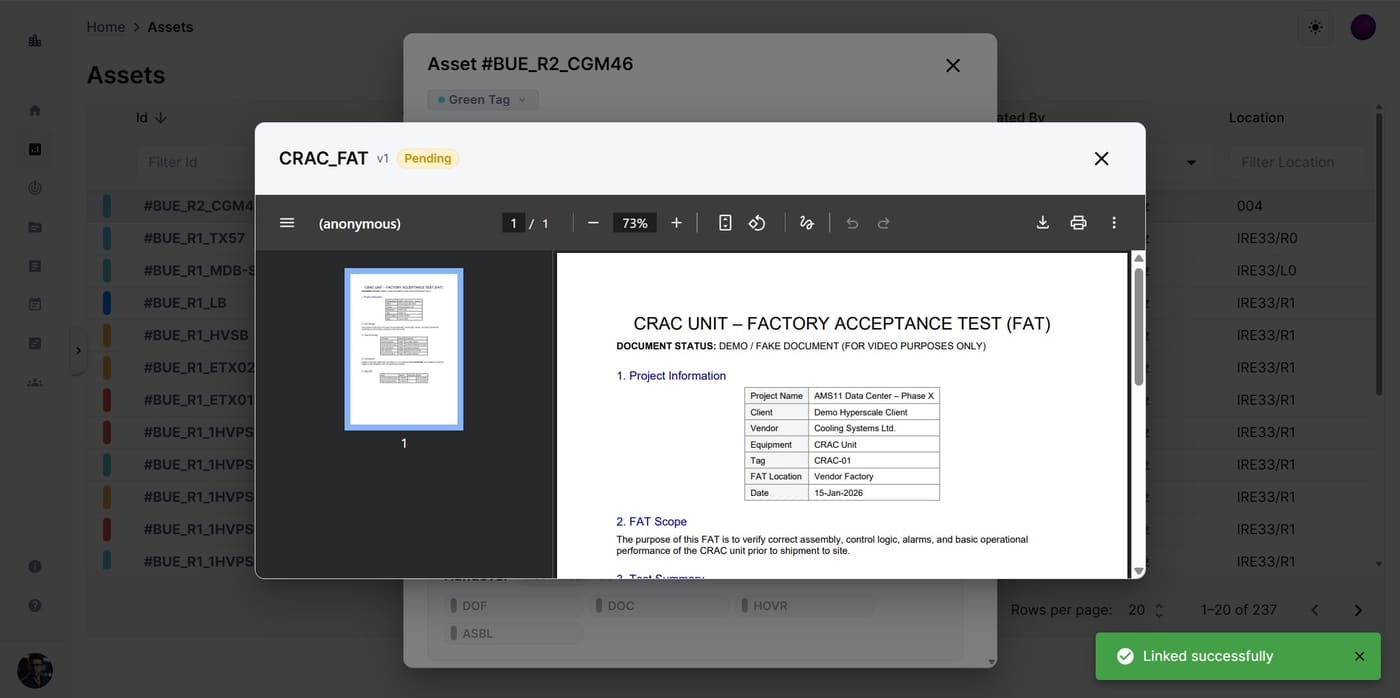
Upload, version, and preview FAT reports, test scripts, and certificates — all in one place with an inline PDF viewer and versioning workflow.
Organized folder tree with version control
In-browser PDF preview — no downloads needed
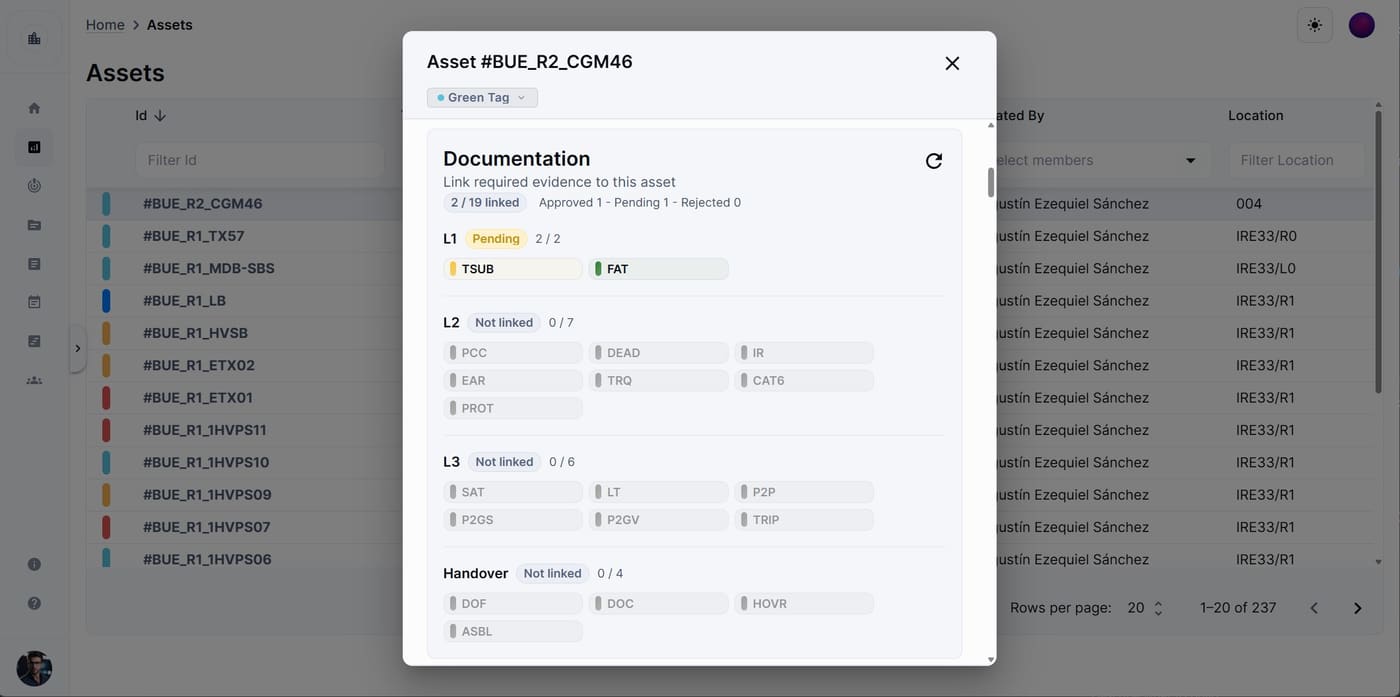
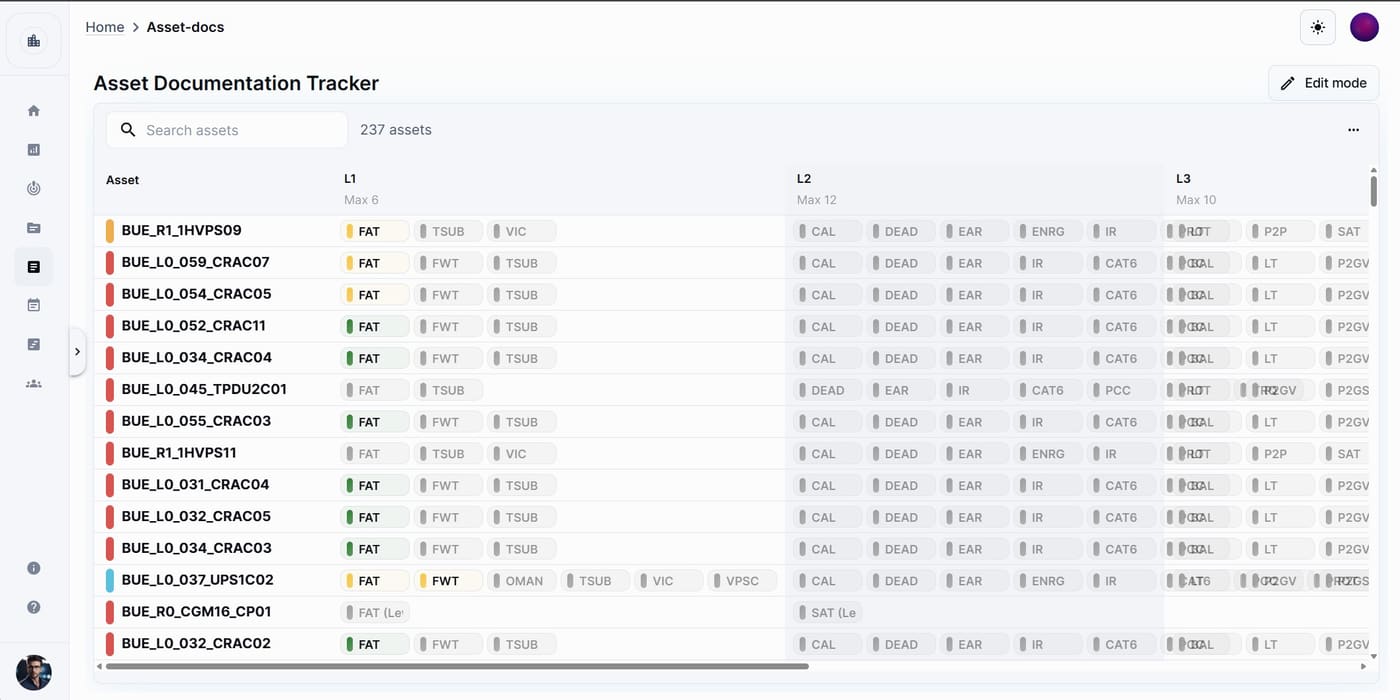
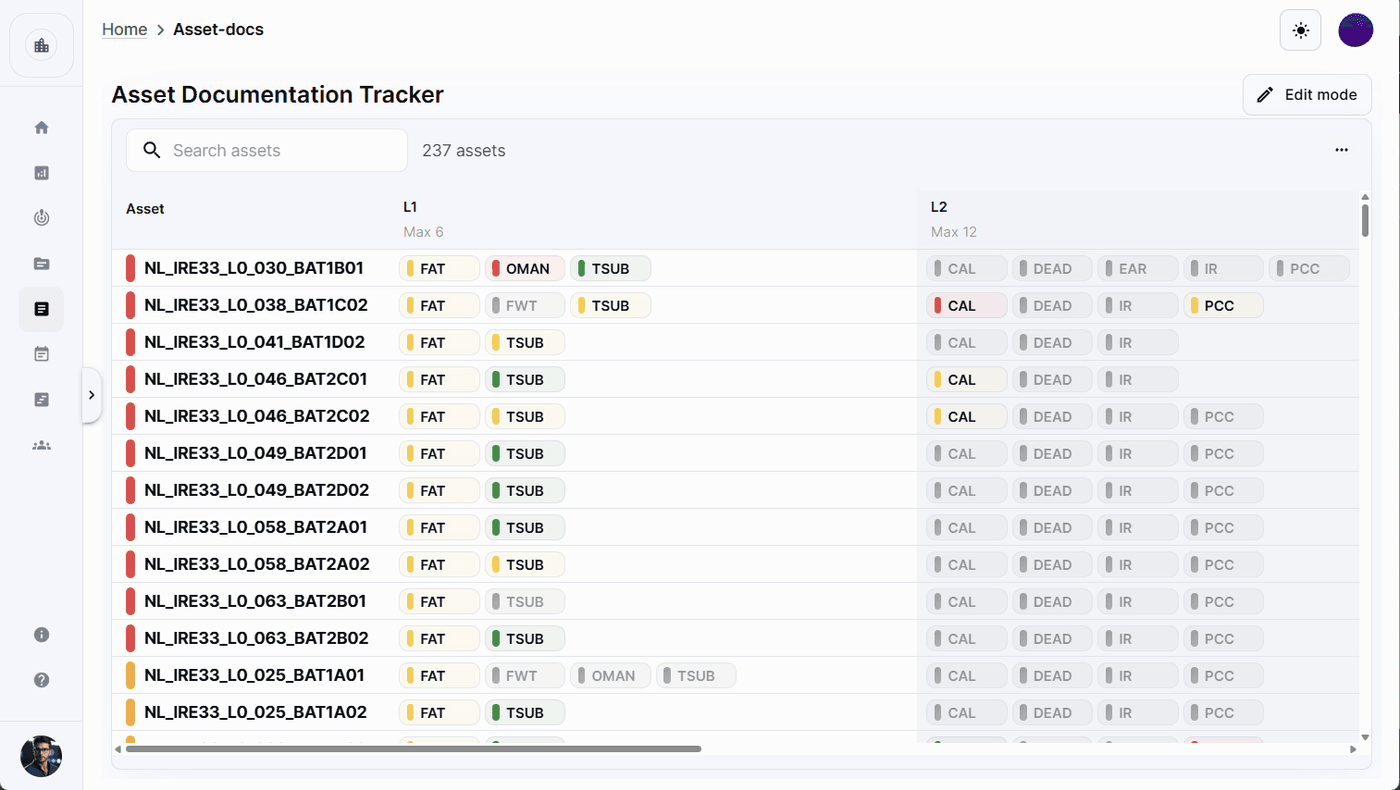
Know what's missing before handover
Map required documents to each asset and track completion across L1, L2, L3, and Handover phases. Approve, link, or flag documents directly from the tracker.
Per-asset completion view across all phases
Link, approve, and flag in one click
app.cx-assistant.com
Your project, always at hand.
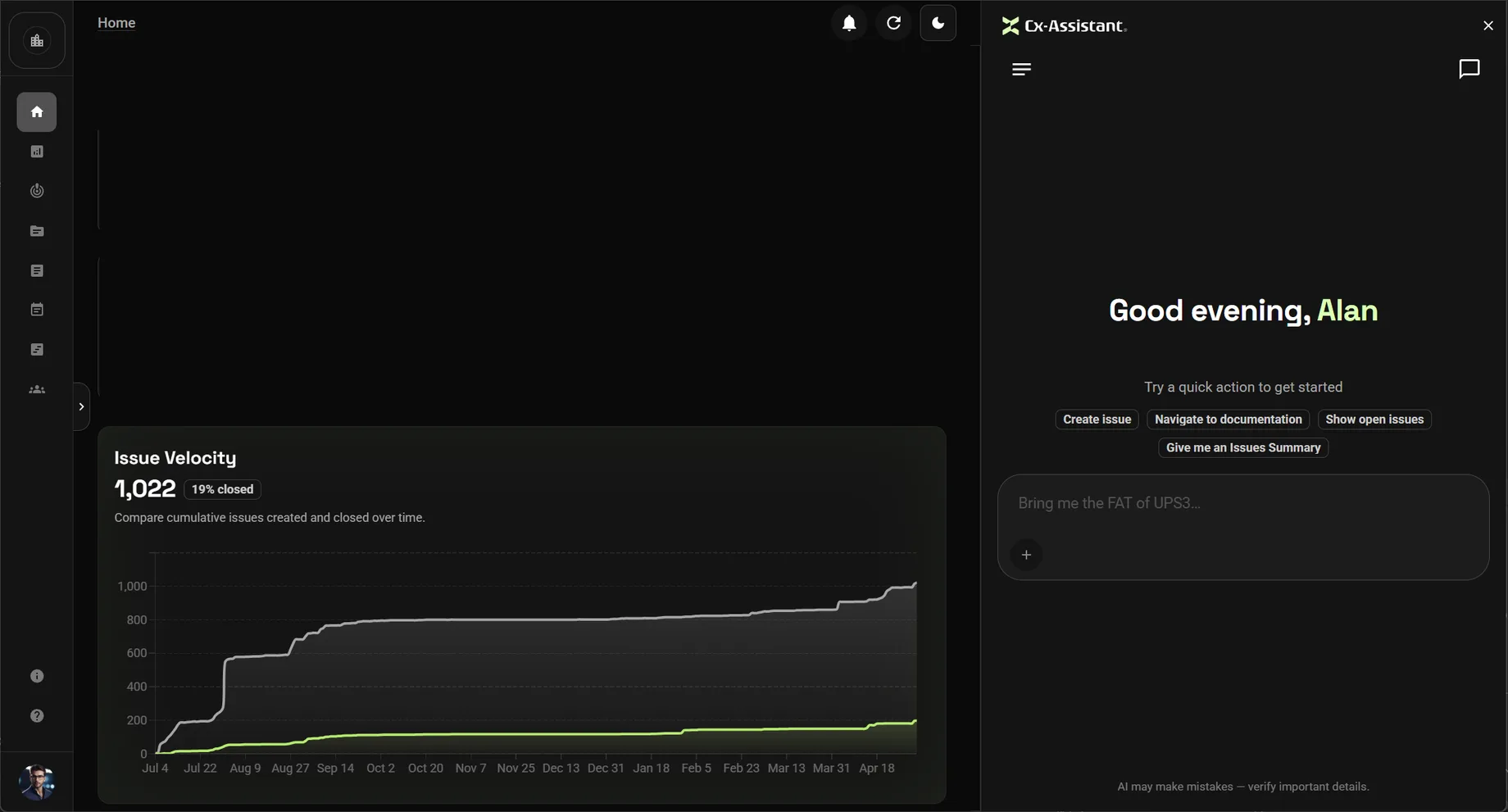
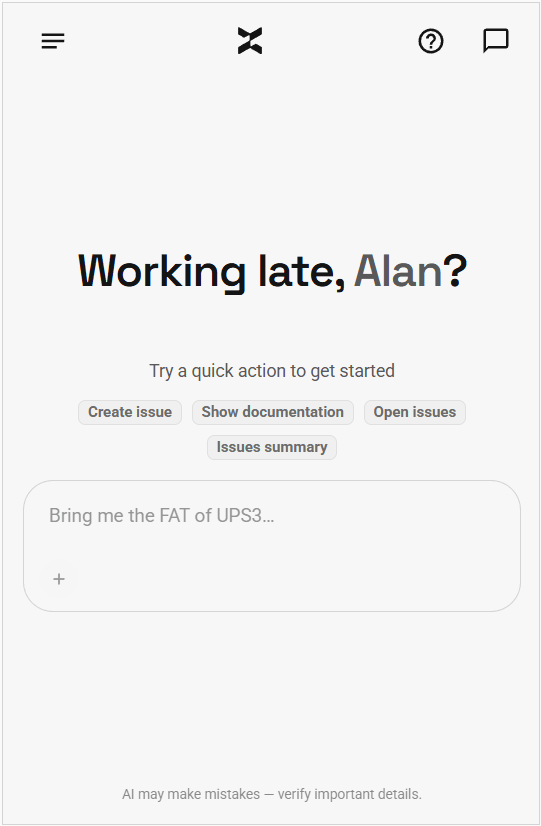
Say what you need in plain language. It searches the project, reads the documents, creates the records and shows you what it did.
Issues, assets, scripts and documents — by name or tag.
Ask anything, or say what to do…
AI may make mistakes — verify important details.
This is the web app. The same assistant runs on your phone, inside Word and Excel, and on your desktop.
A platform that keeps growing
The modules your team unlocks as the project ramps up — all included, all connected to the same data.
Planner & Gantt
Milestones, dependencies, resource demand, and calendar reminders.
Interactive maps
Your sites and locations, geolocated on a live project map.
3D floor plans
Walk your layouts in 3D — equipment, routes, and openings included.
Global search
One ⌘K palette across assets, issues, docs, and every page.
Reviews & approvals
Document review workflows with clear ownership and status.
Dashboard builder
Compose custom KPI dashboards and export them to Word or PowerPoint.
Exports & reports
Excel table exports, bulk document archives, and PDF reports on demand.
AI agents
Specialised assistants for planning, layouts, documents, and more.
Your commissioning project, now in your pocket.
Cx Assistant is on iPhone and Android. Snap a nameplate, raise an issue from the field, or ask about your project — straight from the job site, with the same AI assistant you use on desktop.
Capture nameplates and site photos on the spot
Raise and update issues without leaving the field
Chat with your project in plain language
Everything syncs instantly with web and Office
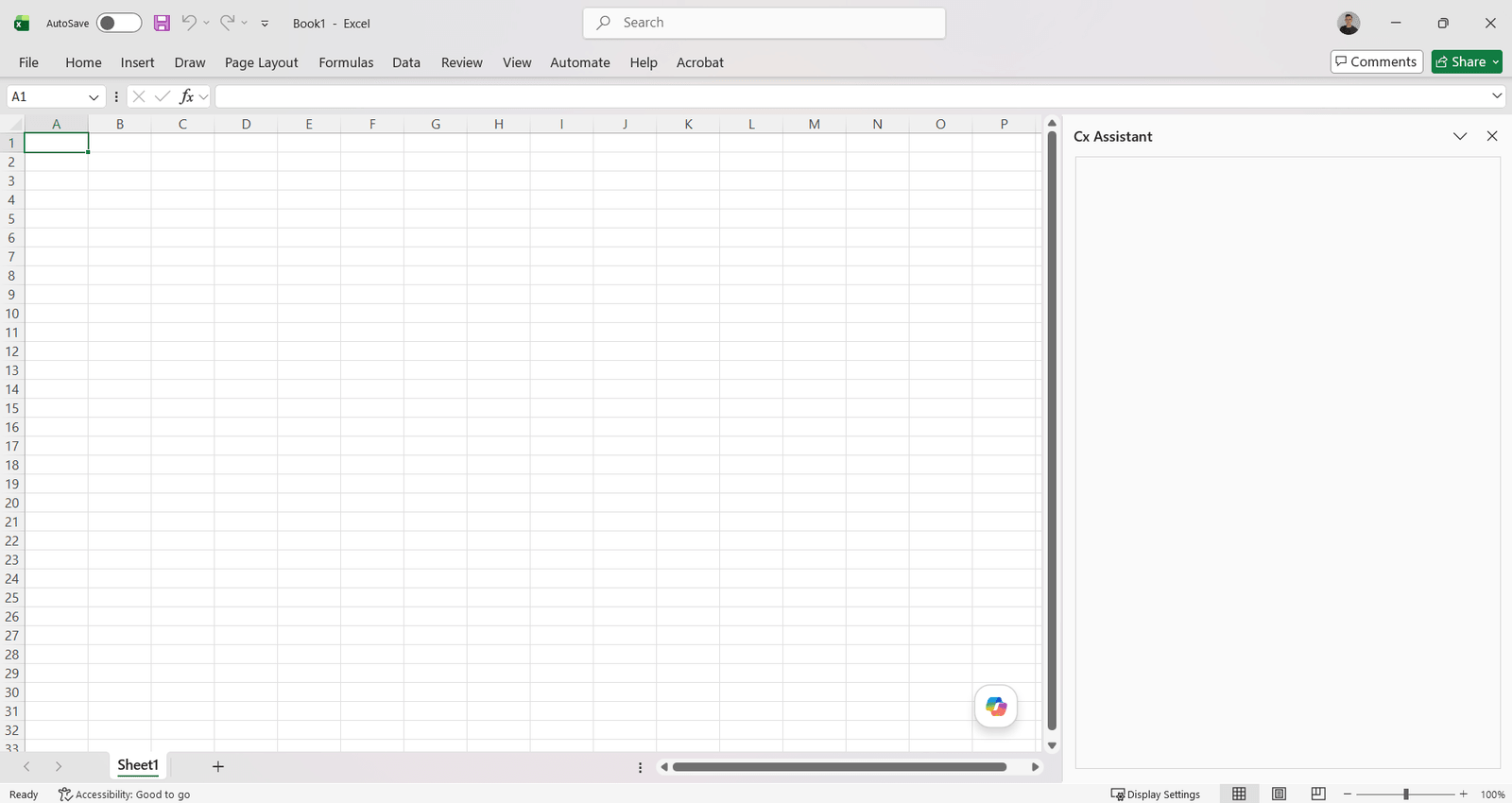
Cx Assistant, right inside your favorite tools.
Use the AI-powered assistant directly in Microsoft Excel and Word. No tab switching, no context loss — smart help right where you need it.

Excel

Word
Microsoft Excel — Cx Assistant

Built by engineers with years on site.
Defects noted on paper and typed up at night. Nameplates copied by hand. The weekly report rebuilt from five spreadsheets. We have done all of it, so the assistant does the typing now.
Ready to see your next project clearly?
Bring assets, issues, documents, and schedule into one place — and put an AI assistant that knows your project next to every engineer.
No credit card required · Web, mobile & Office
Engineering insights
Deep dives into commissioning challenges and how we're solving them.
Automations: what to schedule on a commissioning job, and how to write the prompt
An automation is a message the assistant runs for you on a schedule, into a chat you can open. Seven recipes commissioning teams can set up today, the exact prompts, what comes back, and what an unattended run is not allowed to do.
November 3, 2026 · 12 min read
Read more
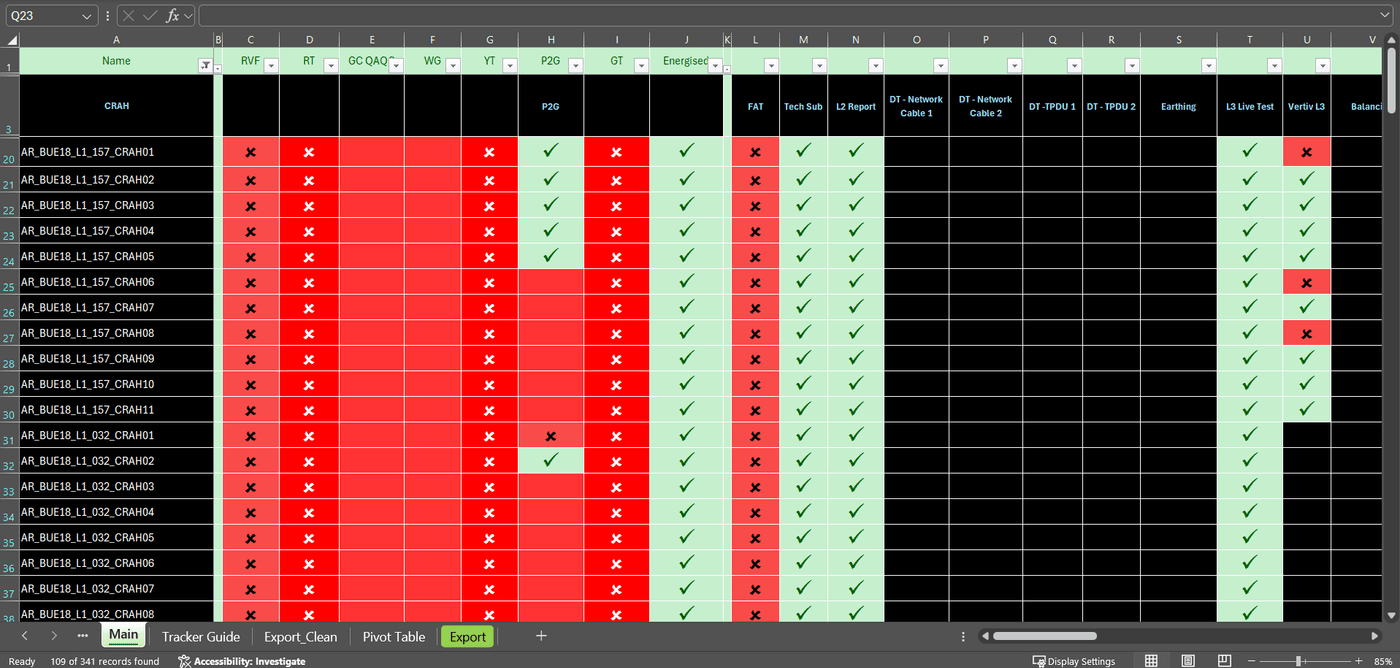
BEFORE
AFTER
Compliance in commissioning: compliant with what, signed by whom?
The same test can satisfy a client specification, support a statutory inspection and become part of a certification dossier. Those are different obligations, with different authorities. Here is how to tell them apart in data centers, pharmaceutical facilities, HV substations and transmission lines across the United States, Europe and Latin America.
October 18, 2026 · 18 min read
Read more
See it working, in a few minutes.
Short films of the product doing one job at a time. Press play to load the video from YouTube.
What is Cx Assistant?
The platform in under three minutes: assets, issues, documents and scripts on one project record, with an AI assistant on the web, the phone and inside Word and Excel.
Write the commissioning report in Word without writing it
The Word add-in drafts the report from live project data: issues, assets and test results, with citations back to the records.
Frequently Asked Questions
Commissioning software keeps the records a commissioning job produces in one place instead of spreadsheets and paper forms: the equipment list, the test scripts and their results, the issues (punch list), the documents each asset needs and the schedule. Cx Assistant is commissioning software with an AI assistant that works across all of those records, on the web, on the phone and inside Word and Excel.
Cx Assistant is a next-generation commissioning platform for complex environments. It combines a powerful management app with an AI assistant to automate tasks, enhance collaboration, and ensure flawless project delivery.
The AI assistant automates repetitive tasks, links issues to assets, and provides instant answers to natural language questions. It helps engineers spend less time on admin and more time on actual engineering.
Cx Assistant is designed for data centers, industrial facilities, and critical infrastructure—anywhere commissioning is complex, high-stakes, and time-critical.
Everywhere your team works: the web app, iPhone and Android apps for the field, and add-ins for Microsoft Word and Excel. Everything stays in sync on the same project data.
Cx Assistant highlights missing signatures, incomplete fields, and mismatched IDs, ensuring compliance before handover. AI-powered validation catches errors before they become risks.