
Introducing the Cx Assistant Word Add-in Preview
The Cx Assistant Word Add-in brings commissioning workflows directly into Microsoft Word. Research project issues, generate structured reports with charts, make targeted edits, and act on Word comments — all from the side panel.
Commissioning reports often start with scattered project information: open issues, closed issues, ownership, priorities, evidence gaps, comments, and closeout actions. The Cx Assistant Word Add-in brings that workflow directly into Microsoft Word, helping commissioning teams create, review, and improve technical documents without leaving the report.
This preview shows how Cx Assistant can research project issues, generate a structured report with charts, make targeted edits, respond to user comments, and update the document directly from the Word side panel.
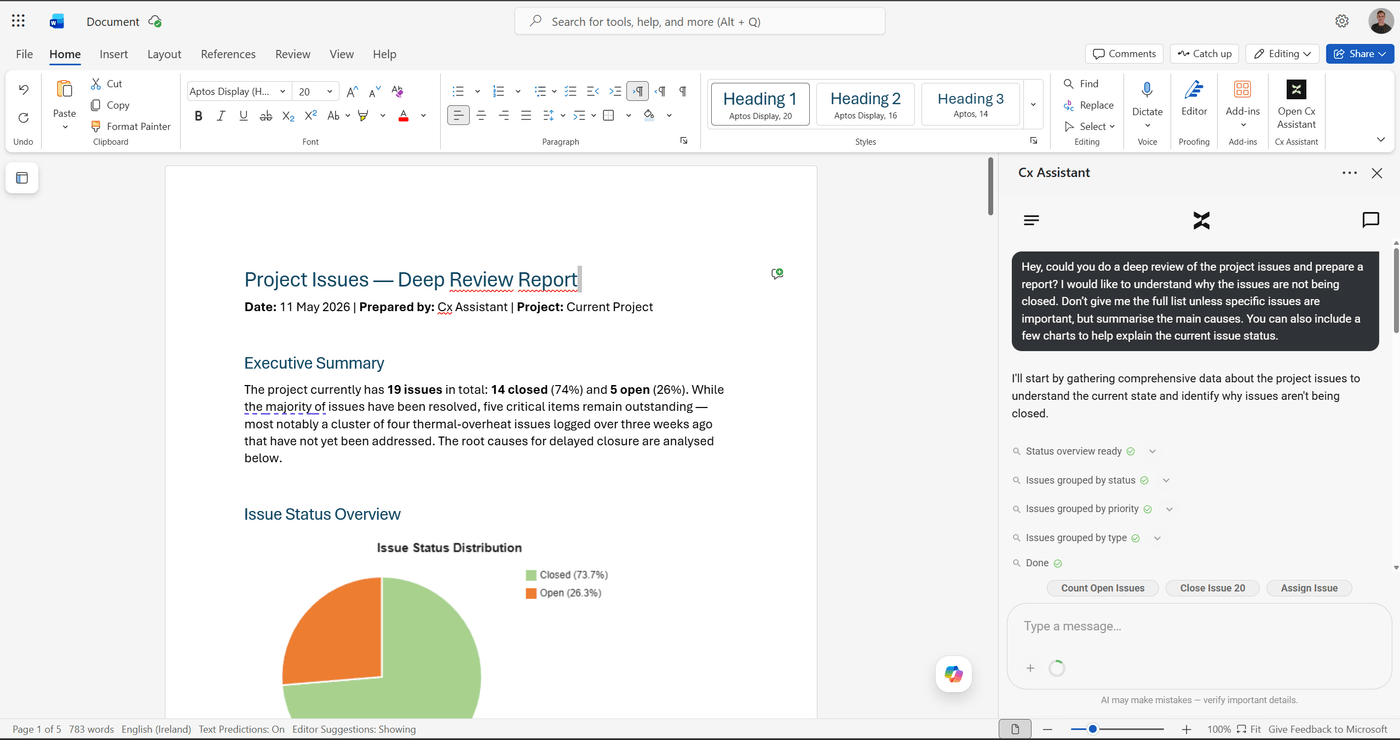 The Cx Assistant side panel open inside Microsoft Word.
From a simple request to a structured report
The workflow can begin with a normal engineering request. The user does not need to manually prepare a report template or copy data from the issue register into Word.
Example prompt
Hey, could you do a deep review of the project issues and prepare a report? I would like to understand why the issues are not being closed. Don't give me the full list unless specific issues are important, but summarise the main causes. You can also include a few charts to help explain the current issue status.
Cx Assistant starts by gathering project issue data, checking the status overview, grouping issues by status, priority, type, assignee, and creator, and then reading selected open and closed issues to understand the closure pattern.
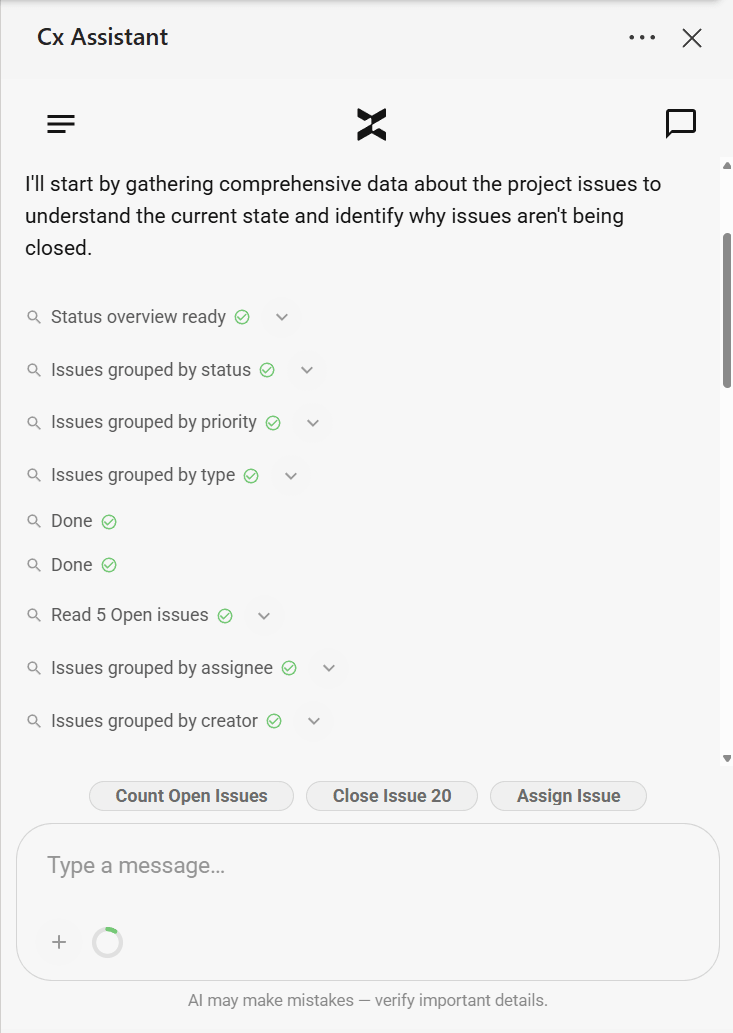 The side panel shows each step as the assistant works through the project data.
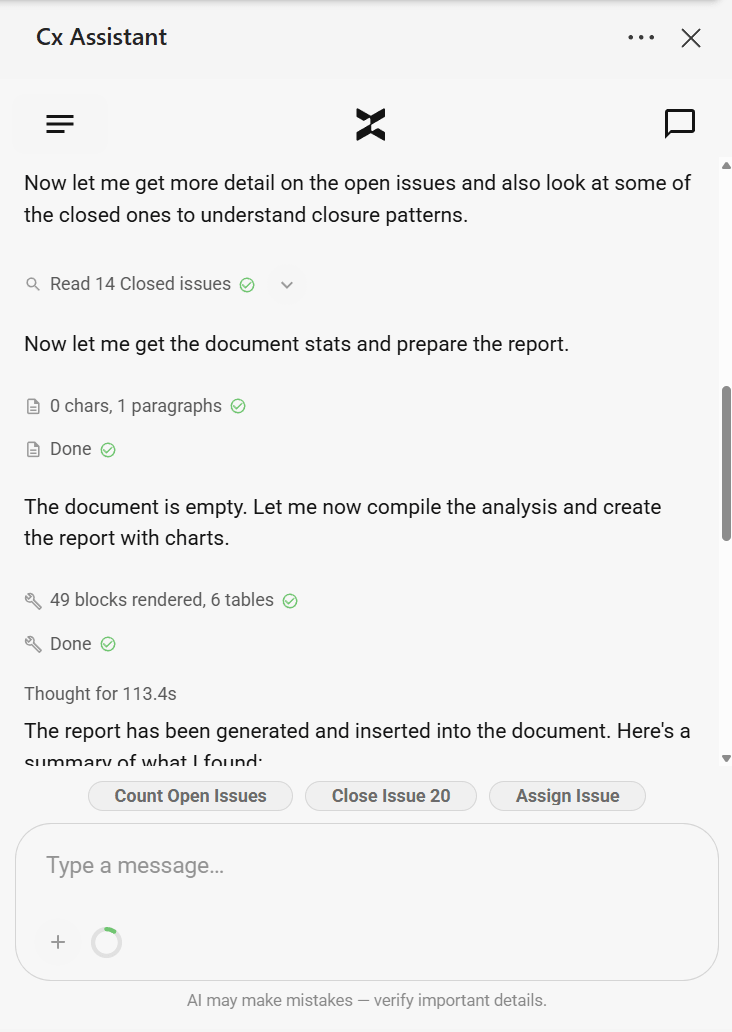 The assistant reads open and closed issues to identify closure patterns.
The side panel shows the steps being completed as the assistant works. This gives the user visibility into the process instead of returning a final answer with no context.
Generate a Word report with charts and tables
After analysing the project information, Cx Assistant can insert a structured report directly into the Word document. In this example, the report includes an executive summary, issue status overview, charts, issue analysis, key findings, and recommendations.
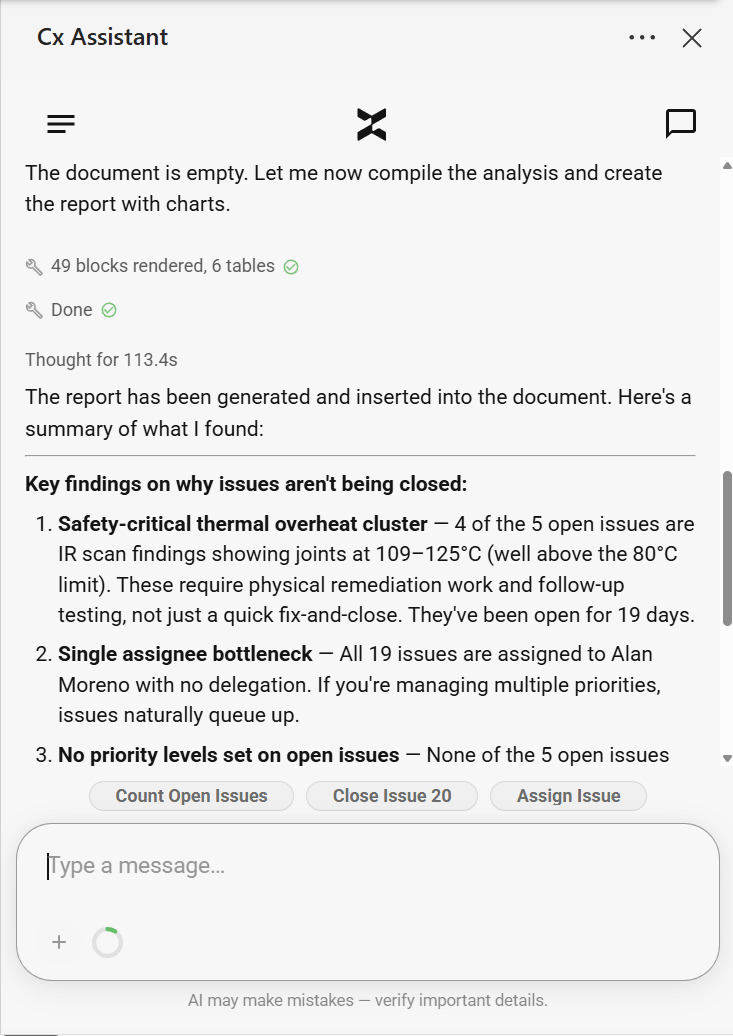 The report is inserted directly into the Word document, including charts and tables.
The assistant also provides a concise summary in the side panel, explaining the main reasons why the issues are not being closed. In the example shown, the findings include safety-critical thermal issues, assignee bottlenecks, missing priority levels, duplicate tracking, and broad issue classification.
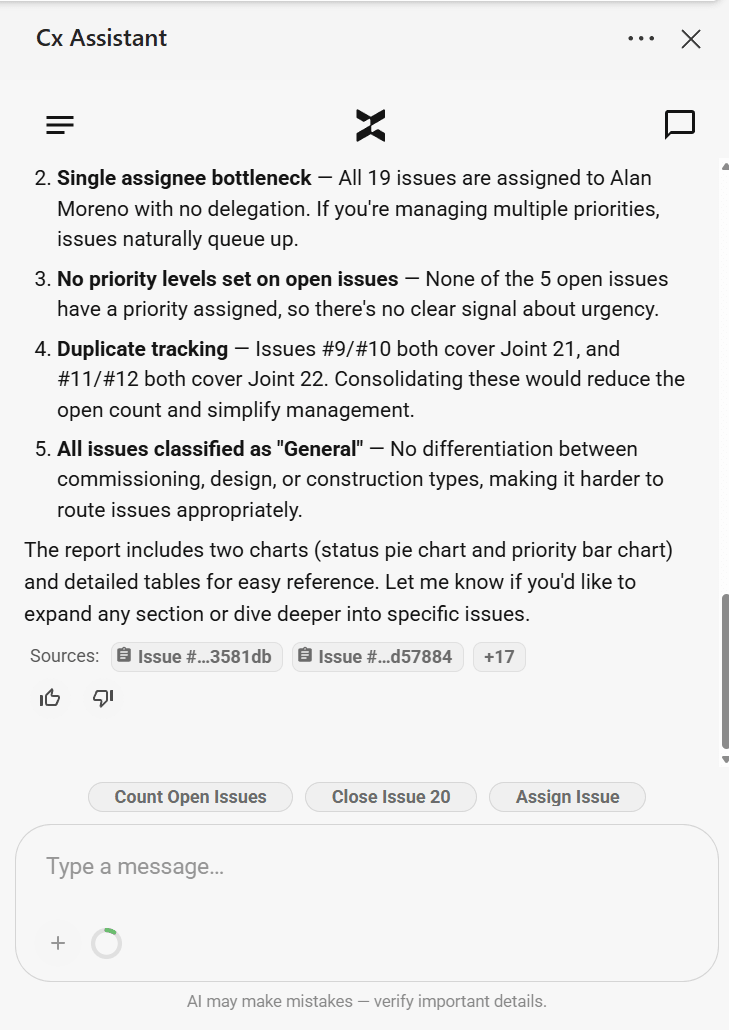 The side panel provides a concise summary of findings alongside the full document report.
This is useful for commissioning teams because the assistant does not simply list issues. It identifies patterns and turns issue register data into a report that can be reviewed, edited, and shared.
Make targeted changes to the document
The Add-in can also make precise updates after the report has been created. Users can ask for small corrections or formatting changes without manually searching through the document.
Example prompt
Can you put my name in the first part instead of Cx Assistant?
Cx Assistant identifies the relevant part of the document, makes the replacement, and confirms what changed.
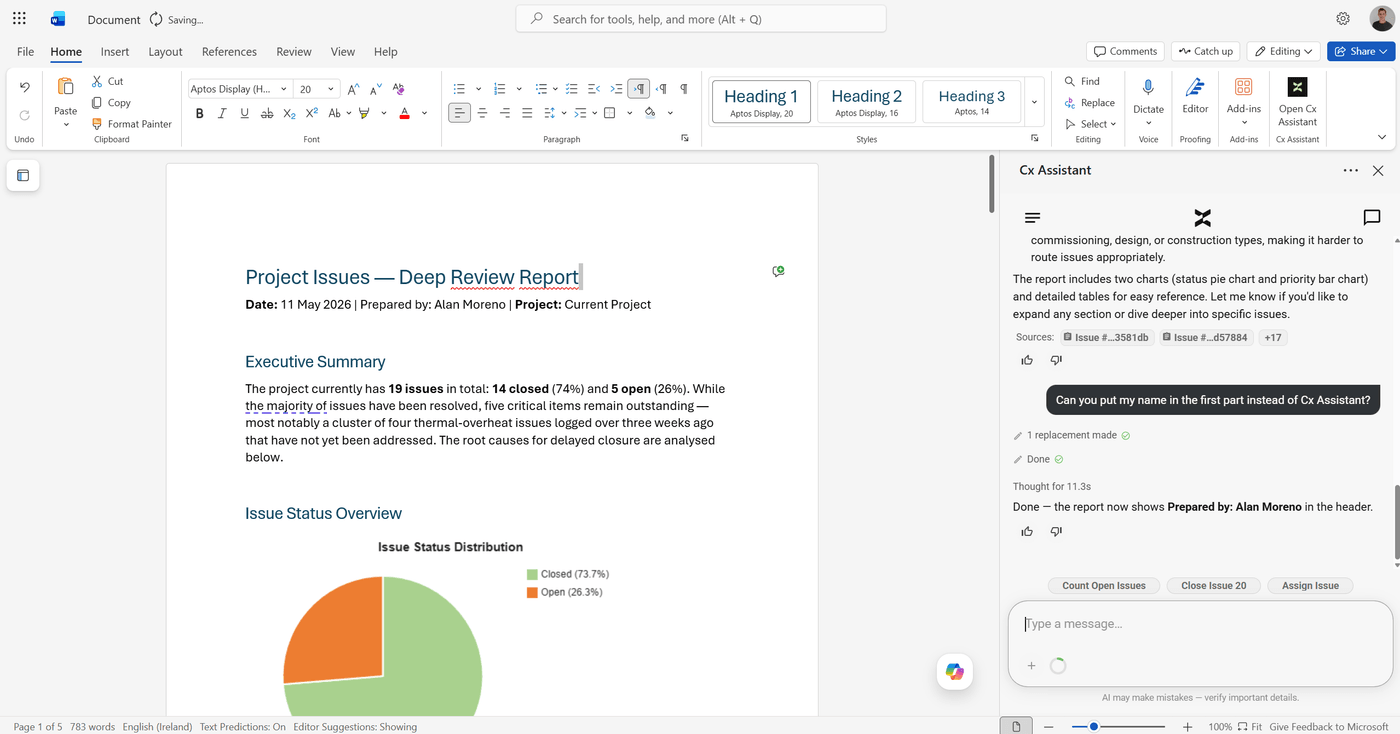 The assistant makes a targeted replacement and confirms what was changed.
This makes the workflow practical for real report preparation, where small updates are often needed after the first draft is generated.
Use Word comments as part of the review workflow
A key part of the preview is the ability to work with comments. The user can add a normal Word comment to the document, asking for a specific section to be changed.
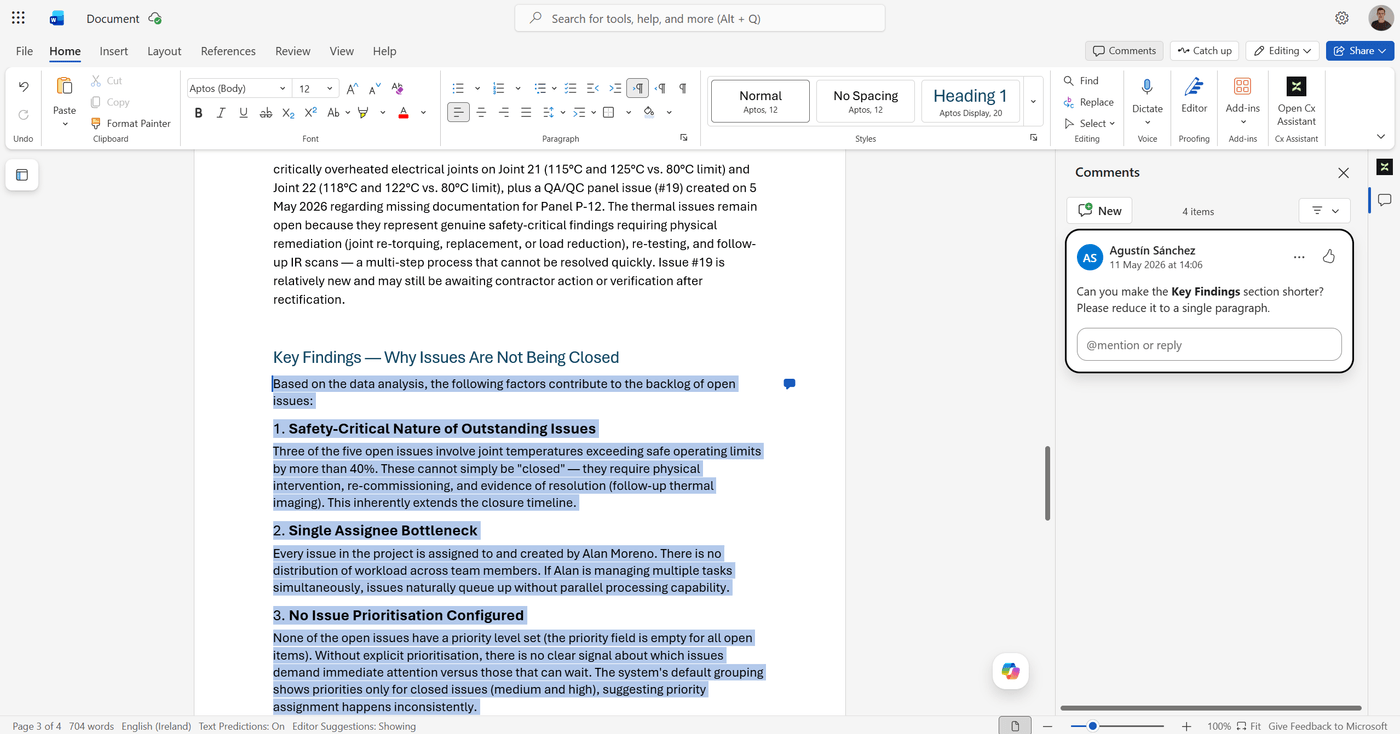 A Word comment asking the assistant to shorten the Key Findings section.
In this example, the user comments on the Key Findings section and asks Cx Assistant to make it shorter and reduce it to a single paragraph.
Example prompt
Hey! I put a comment in the report, could you take action and resolve what the comment says?
Cx Assistant reads the comment, identifies the affected section, checks the document structure, replaces the selected content, and then resolves the comment.
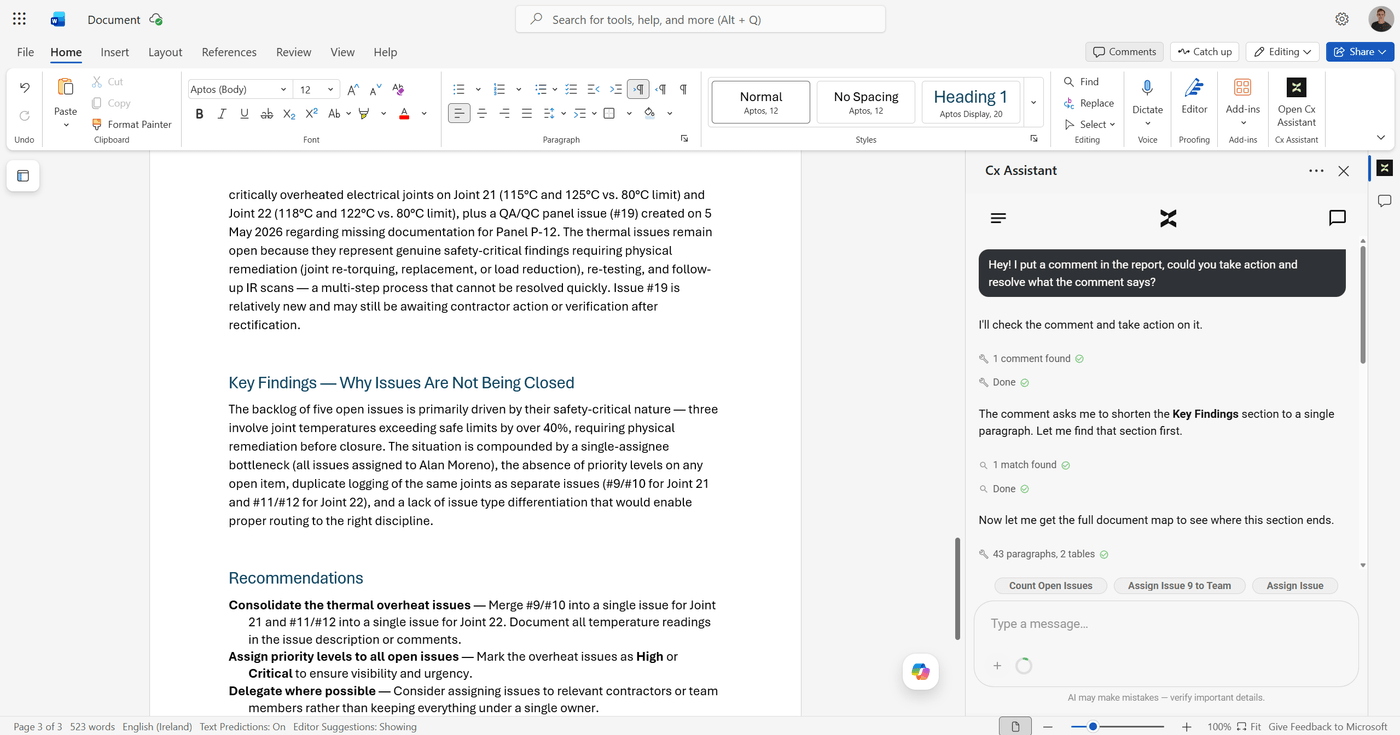 The assistant reads the comment and locates the section to update.
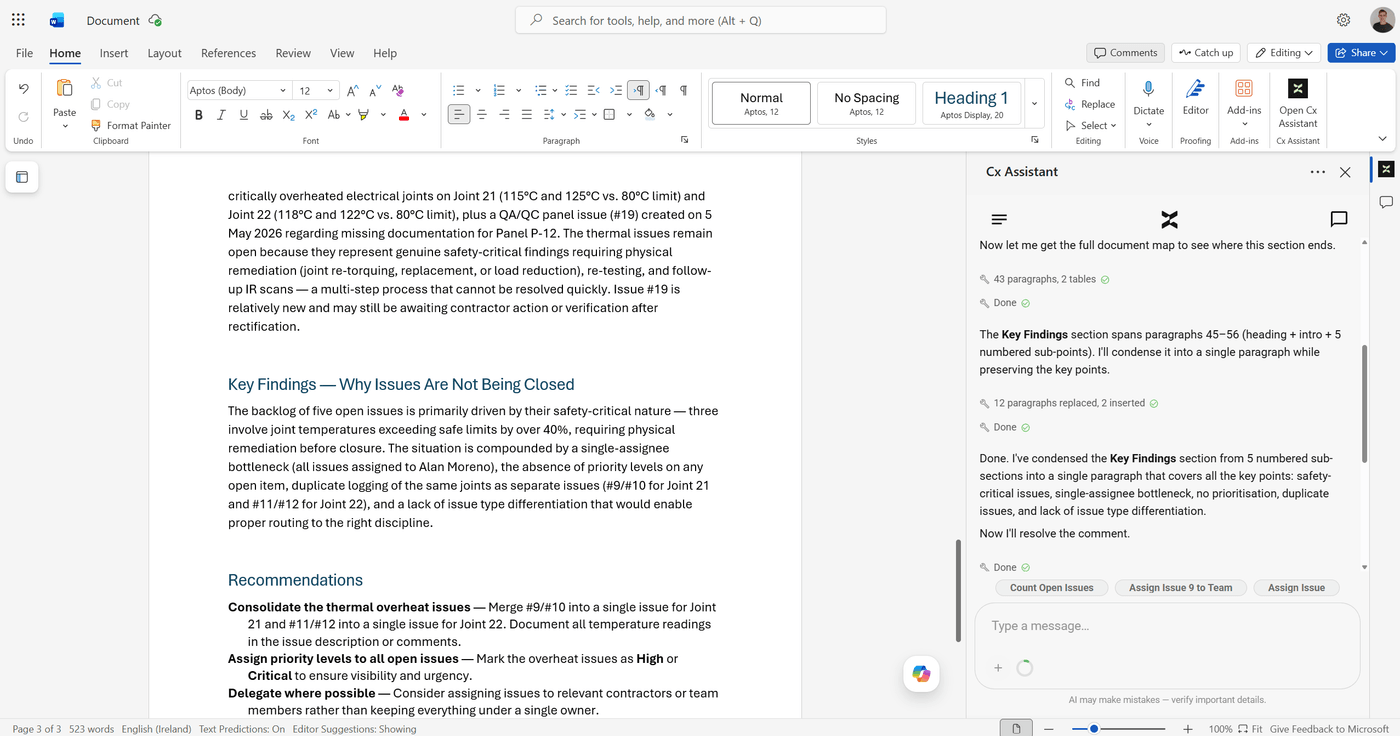 The section is condensed and the comment is resolved.
This creates a natural review loop inside Word: write the report, add comments, ask the assistant to act on them, and keep improving the document.
Designed for commissioning documentation
The Word Add-in is designed around real commissioning workflows, including issue analysis, closeout reporting, technical summaries, evidence reviews, and project documentation. The assistant can help turn project data into structured engineering content while keeping the user in control of the final document.
The preview demonstrates several important capabilities:
- Researching project issues before writing.
- Grouping and summarising issue data by status, priority, type, assignee, and creator.
- Generating report content directly in Word.
- Creating charts and tables inside the document.
- Making targeted document edits from natural language.
- Reading Word comments and acting on them.
- Resolving comments after the requested update is complete.
Why this matters
Commissioning teams often spend a large amount of time converting issue data, test findings, and review comments into clear documentation. Cx Assistant reduces that manual effort by bringing the assistant into the document itself.
The goal is not to replace engineering judgement. The goal is to help engineers move faster from project information to a clear, reviewable, and better-structured report.
Try the Word Add-in Preview
The Cx Assistant Word Add-in is currently available as a preview. If you would like to test the workflow, review the Add-in, or provide feedback, you can try the preview version and help shape the next release.
The Word Add-in preview is available now. Visit cx-assistant.com/word-add-in to try it or get in touch to request access and provide feedback.
See it in the product
The modules this post is about, each with its own page and guide.
Want to see Cx Assistant in action?
Explore how commissioning teams manage assets, issues, and documentation — in one place.
Start for free