
Every issue, from raised to closed.
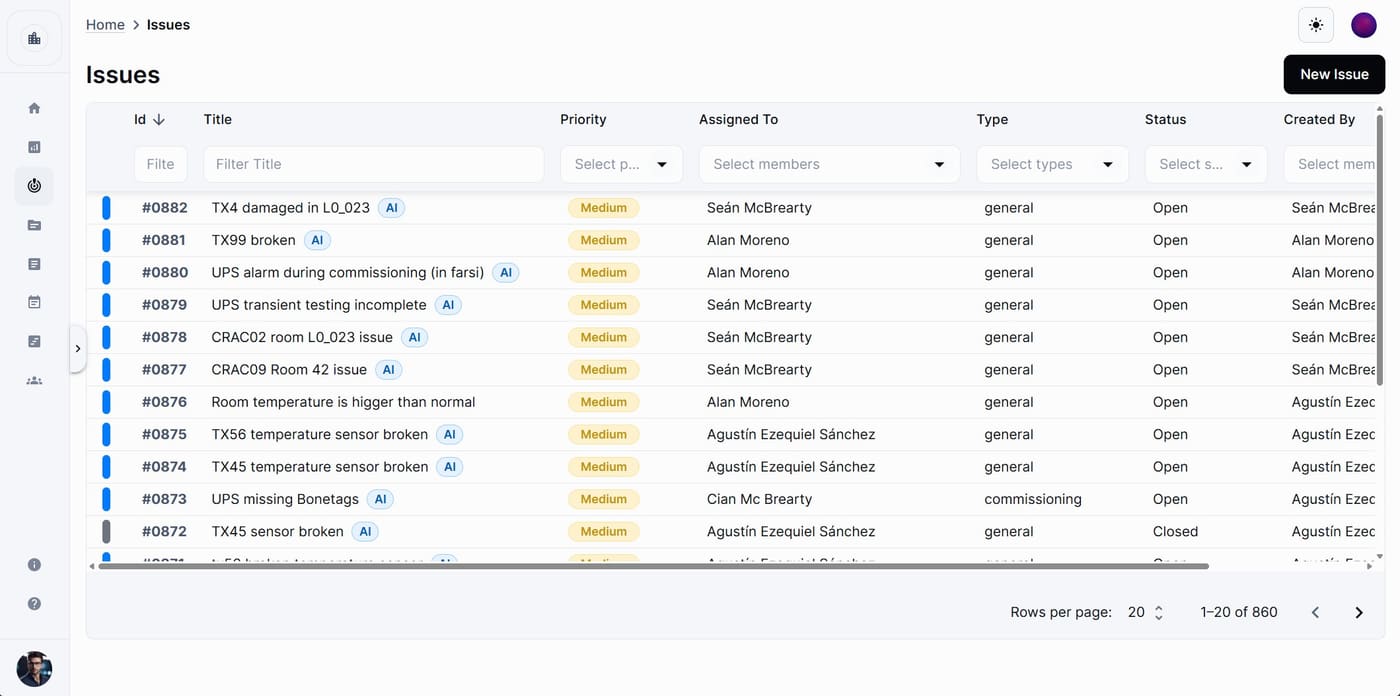
An issue is a problem, task or question tied to your assets, locations or project work. Each one has a title, priority, type, assignee, due date, location, linked assets, attachments, comments and a history, and moves through the status flow your project defines until it is closed.
Available on
app.cx-assistant.com
What you can do
Raise issues from the field
On the phone, tap +, give the issue a title, pick a priority and a type, assign it and set its location. Attach a photo from the camera or the library as evidence. The issue appears in the list straight away.
Assign to a person or a group
Assign an issue to one user or to a whole group. Every member of the group can edit it and change its status, and group members are notified. Each reassignment is recorded in the history.
Due dates and overdue issues
Set the date an issue should be closed by. When it passes and the issue is still open, the list shows the date in red with an Overdue chip, and the assignee receives an overdue notification the day it slips. Sort by due date to chase the most urgent first.
Linked assets and location
Link the affected equipment so the issue shows on each asset's record, and set a location from the project's location tree so the team knows where to go. Filter and sort the list by location, or open all the issues on a pin from the Map.
Comments, attachments and a history
Attach photos, PDFs or existing project documents to the issue, and add comments with their own attachments. The history timeline records every status change, field edit, assignee change, linked asset and comment with who did it and when, and filters by type of change.
Export the punch list to Excel
Set the filters and sorting you want and export the table. The file has one row per issue with id, title, priority, assignee, type, status, location, due date, creator and description. All matching issues are included, up to 5,000 rows.
How a team uses it
- 1
A technician on site raises the issue from the phone with a photo, a priority and the location.
- 2
The lead assigns it to a person or a group and sets a due date.
- 3
The assignee moves the status along the project's flow and adds comments with evidence as the work progresses.
- 4
Overdue issues stand out in red in the list, and the assignee is notified the day an issue slips.
- 5
Before a meeting or the handover, the filtered list exports to Excel as the punch list.
In more detail
Filters you can share
Filter the table by title or id, type, priority, status, assignee, creator or location. The filters live in the page address, so a copied link opens the same filtered view for a teammate.
Statuses, priorities and types are the project's
Each project defines its own priorities, types and status flow, including which status can follow which. Options that are not allowed from the current status are disabled.
Who can change what
Everyone with a built-in role can create issues and comment. Creators, assignees and members of the assigned group can always edit their own issues and change the status; deleting is for project admins by default.
Notifications open the issue
When an issue is assigned to you or someone comments on it, the notification or email opens that issue directly, on the web and on the phone, even when the app was closed.
The full guide, step by step
The same help the app shows, published here: every screen, every field, every permission.
Questions
Yes. Each issue is one item with an assignee, a due date, a status and its evidence, and the filtered list exports to Excel as a punch list to send to someone.
Every status update, field edit, assignee or group change, linked-asset change and comment is kept in the history timeline with who did it and when, and you can filter it by category.
Yes. Ask it to set or clear the due date on an issue, or to list the overdue issues, and it does it on the record.
Ready to see your next project clearly?
Bring assets, issues, documents, and schedule into one place — and put an AI assistant that knows your project next to every engineer.
No credit card required · Web, mobile & Office